Code review - Phabricator Use guide introduce
Foreword
Today I’d like to share some lessons learned from a Code Review server I previously set up at my company. Since the mobile Internet now iterates very quickly, the speed of releasing distributed versions basically determines the survival of a startup. As a result, code quality plays an especially important role in determining product quality.
Contents
1.Phabricator Summary
2.pre-push code review tool —— Differential
3.code repository browse tool — Diffusion
4.post-push code review tool —— Audit
5.Other Feature Summary
6.Final
I. Phabricator Summary
What I want to share with you today is an excellent code review tool: Phabricator. Phabricator is one of the 11 major IT technologies that support Facebook. On the Phabricator website, the developers describe it this way: “Facebook engineers make no secret of their love for Phabricator; they even regard it as synonymous with ‘smooth’ and ‘rigorous’.” Next, I’ll demonstrate the workflow for using Phabricator to perform code reviews, as well as its highlights.
11 major IT technologies supporting Facebook
1.HTML5
2.Facebook Platform
3.Facebook Credits
4.Facebook Applications
5.Open Compute Project
6.Hadoop
7.LAMP Stack
8.Scuba
9.HipHop For PHP
10.Scribe and Thift
11.Phabricator
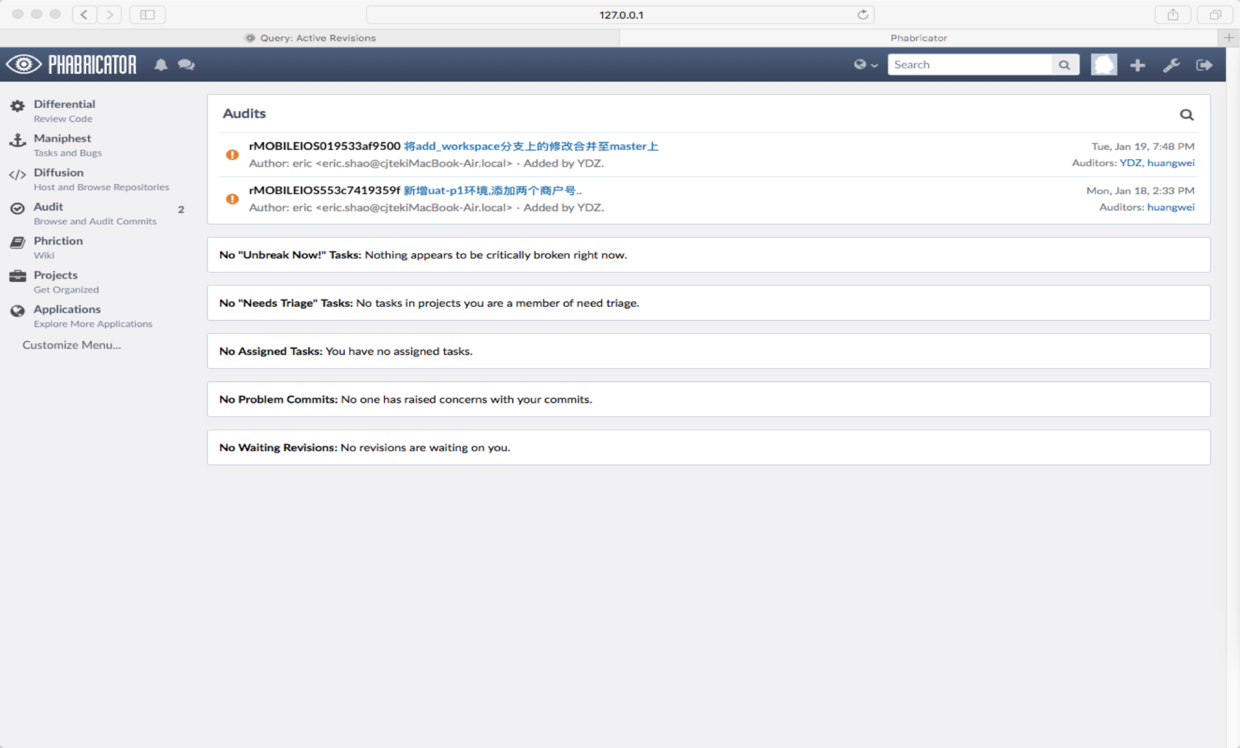
This is the UI of the server after setup.
II. Differential
Differential is one of Phabricator’s core features. It is the primary platform for developers to review each other’s code and discuss code changes.
When it comes to generating a Diff, we need to use the Arcanist Tool here.
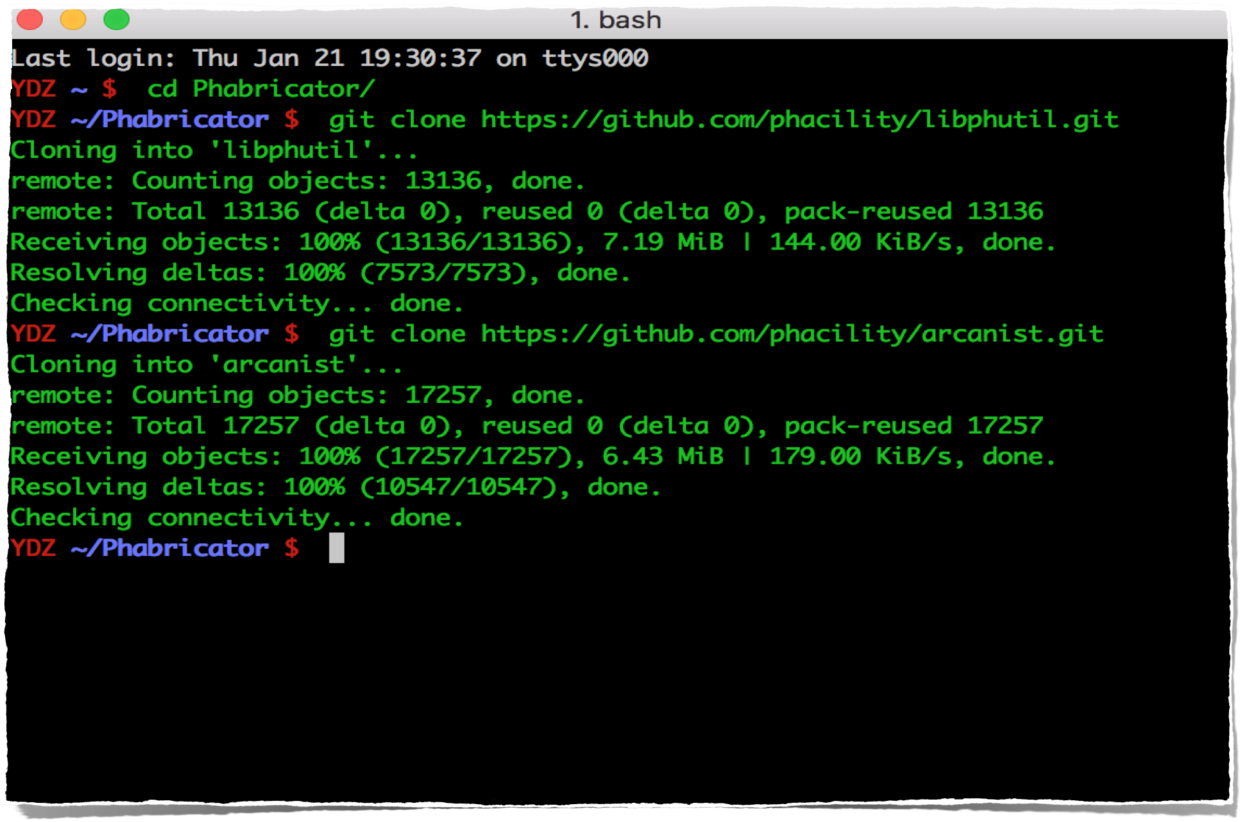
1.Download Tool: download the Arcanist Tool
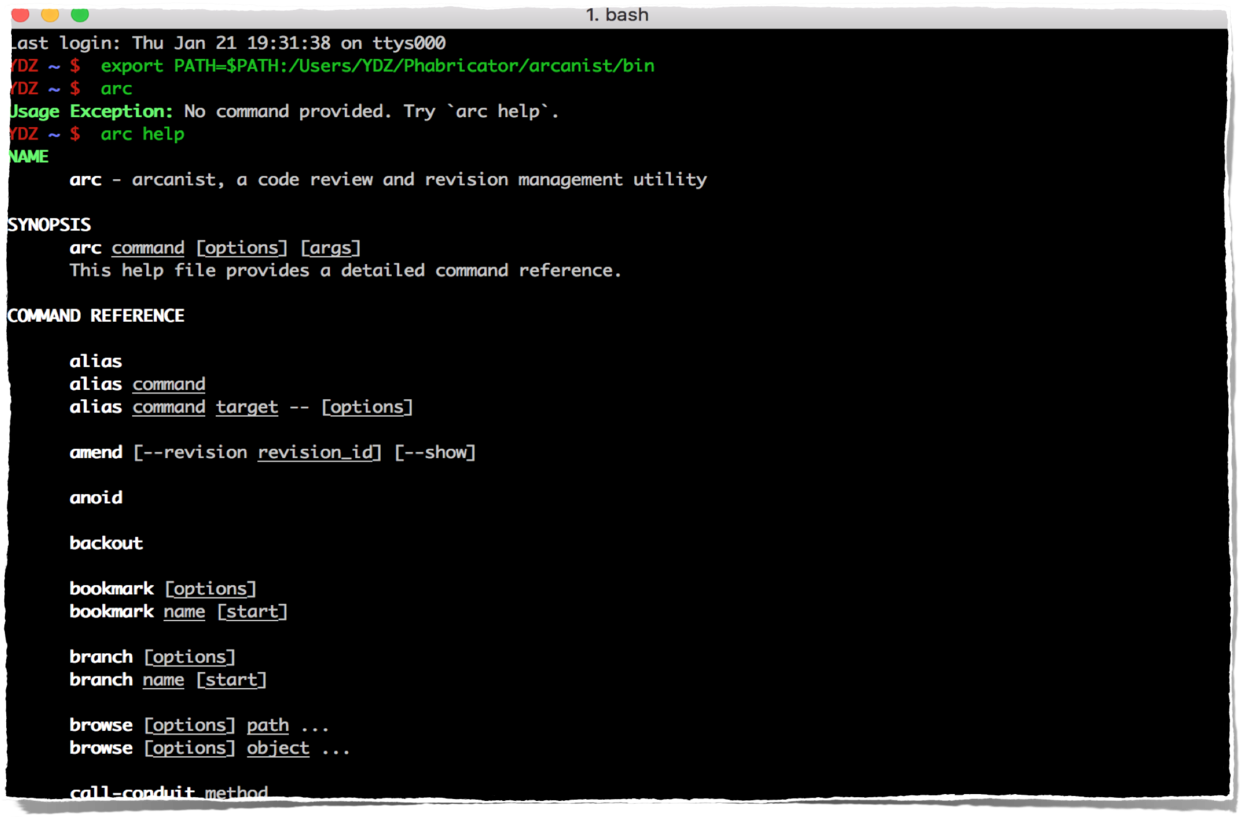
2.Edit Path: configure the path
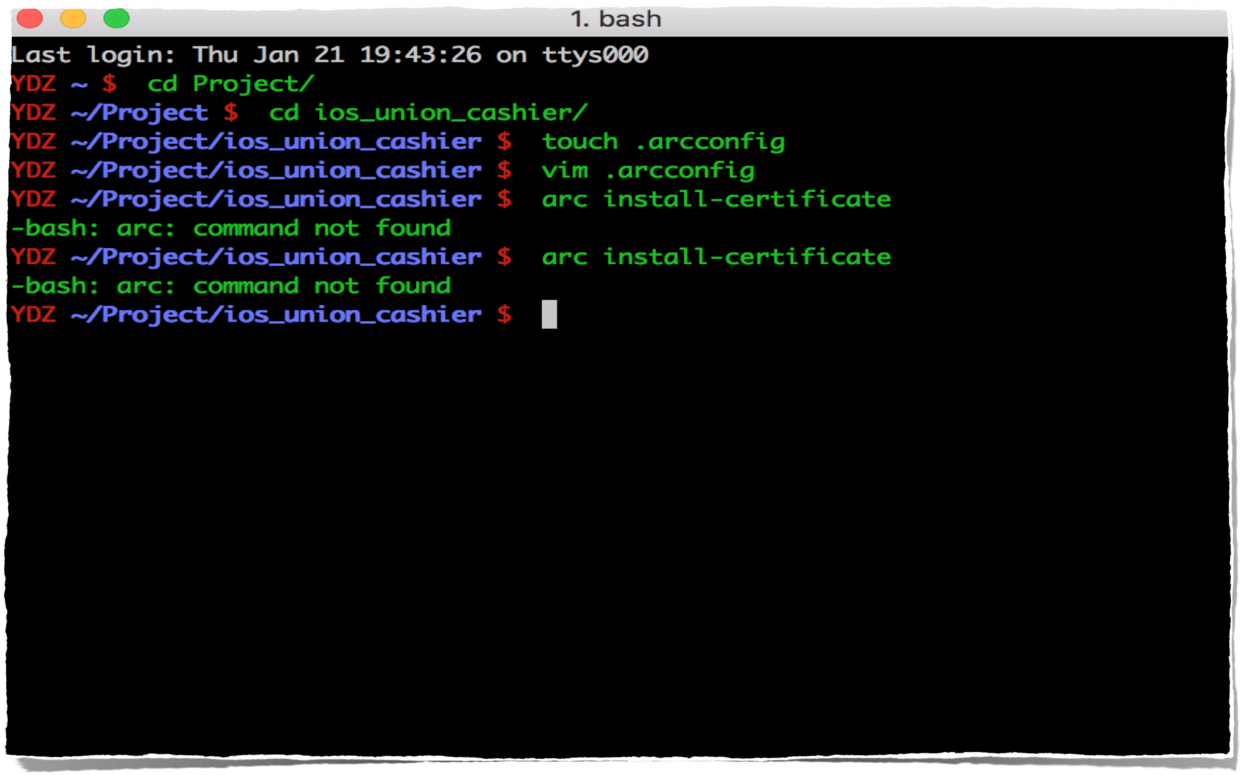
3.Install certificate: install the certificate
4.Install certificate: verify the certificate token
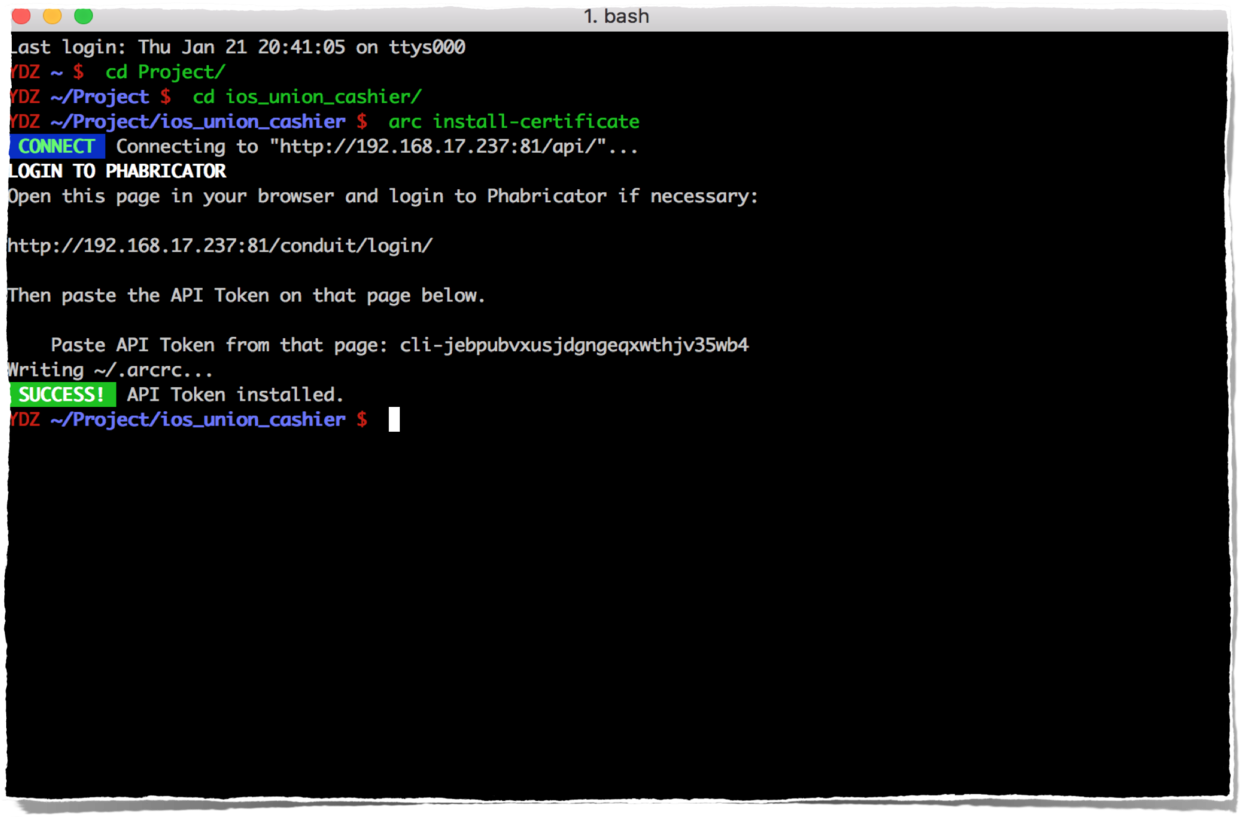
5.Create diff: generate the diff
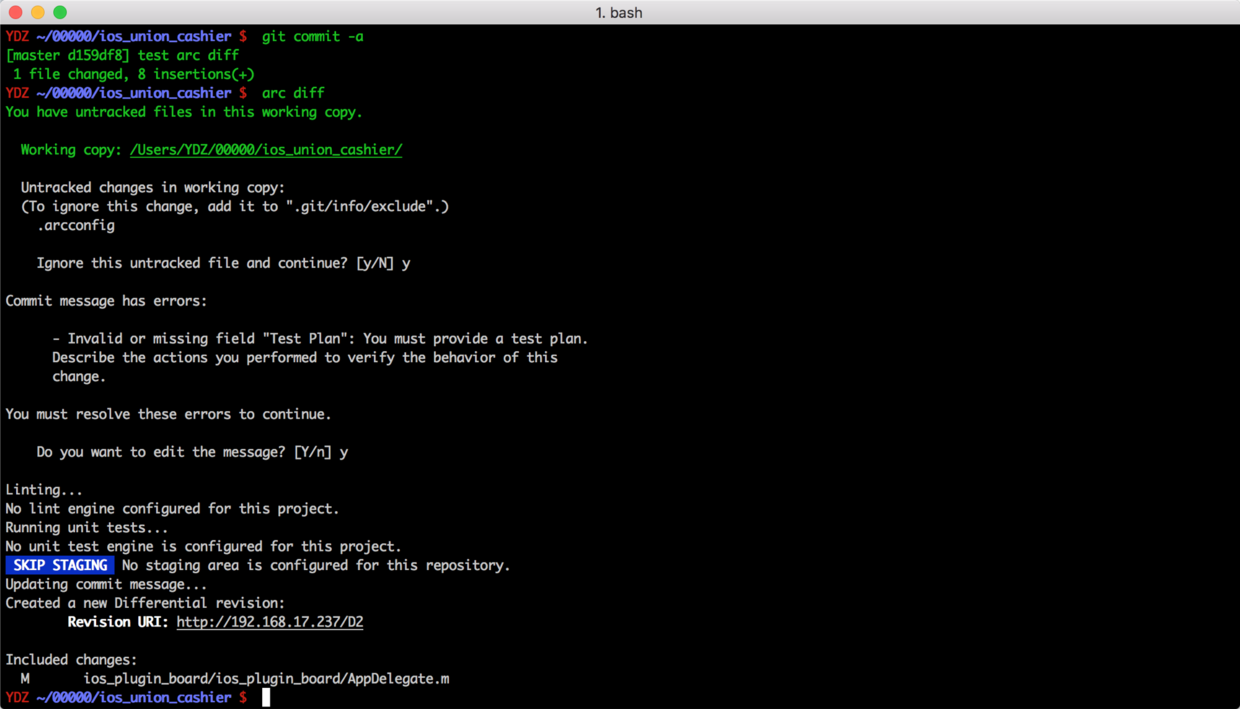
6.Edit diff info: edit the diff information
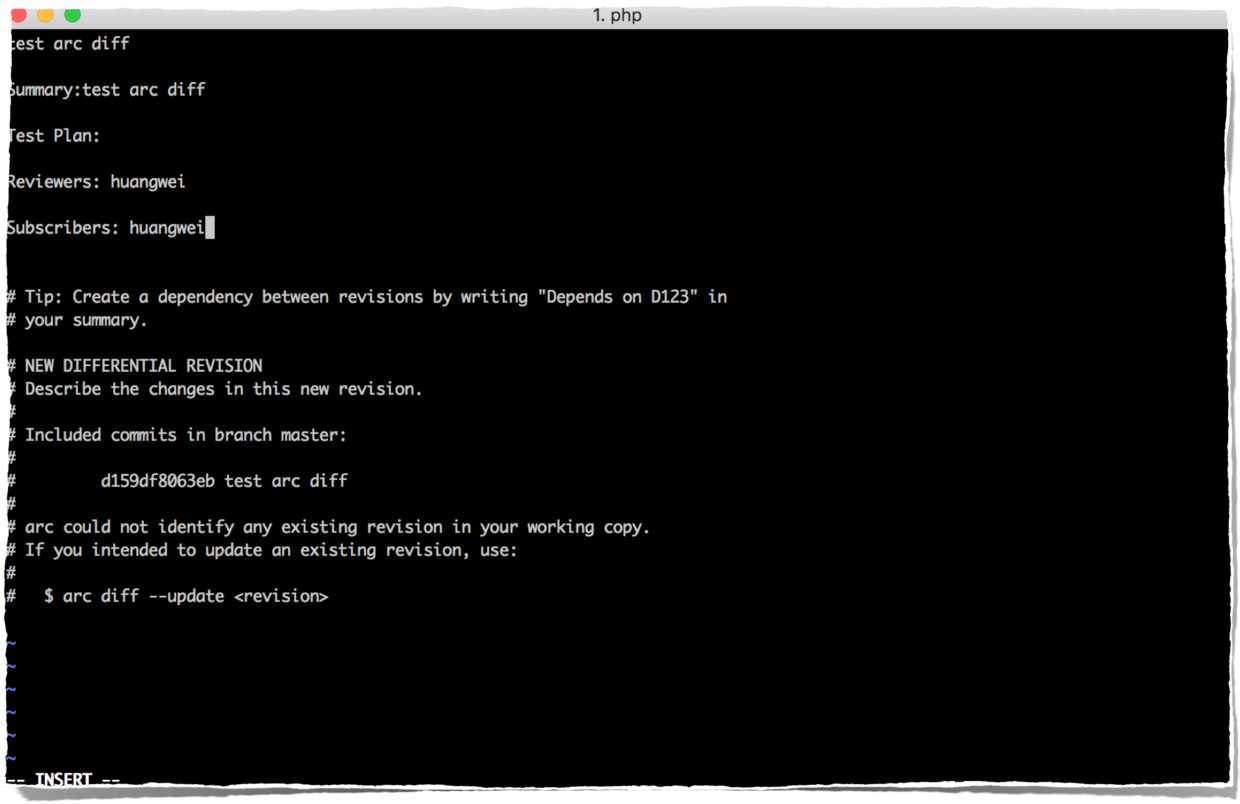
At this point, a diff has been generated. Correspondingly, there should also be a diff record on the web page of the server we set up.
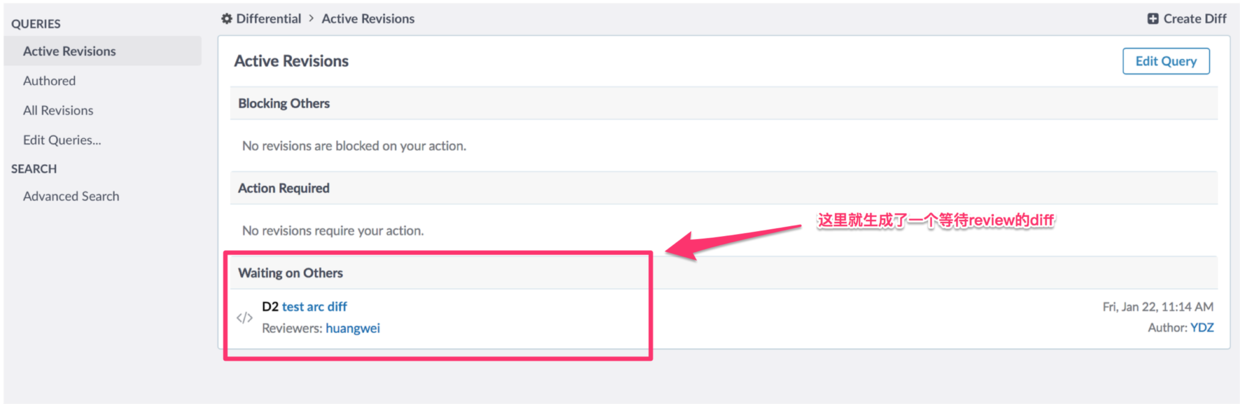
Now it should enter the pre-push code review phase, waiting for the reviewer to review the code before submission.
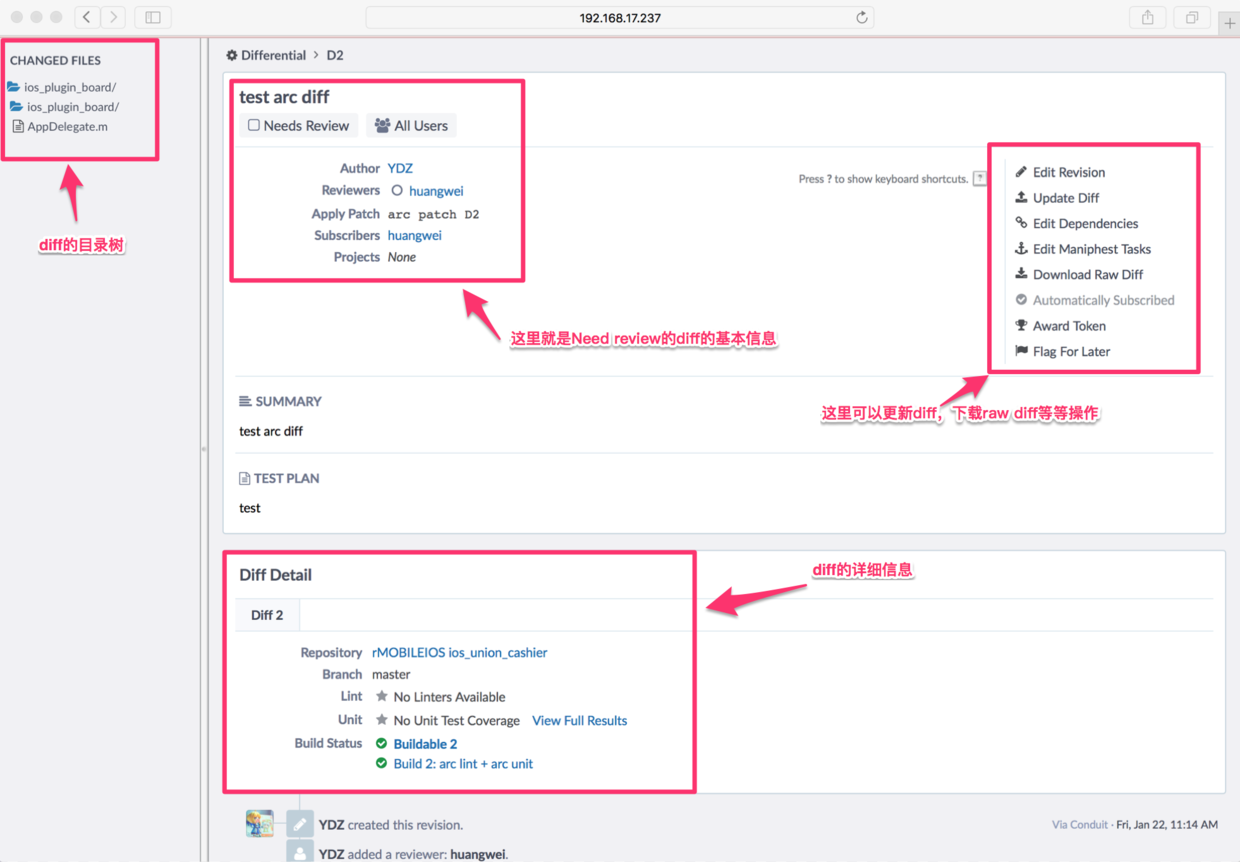
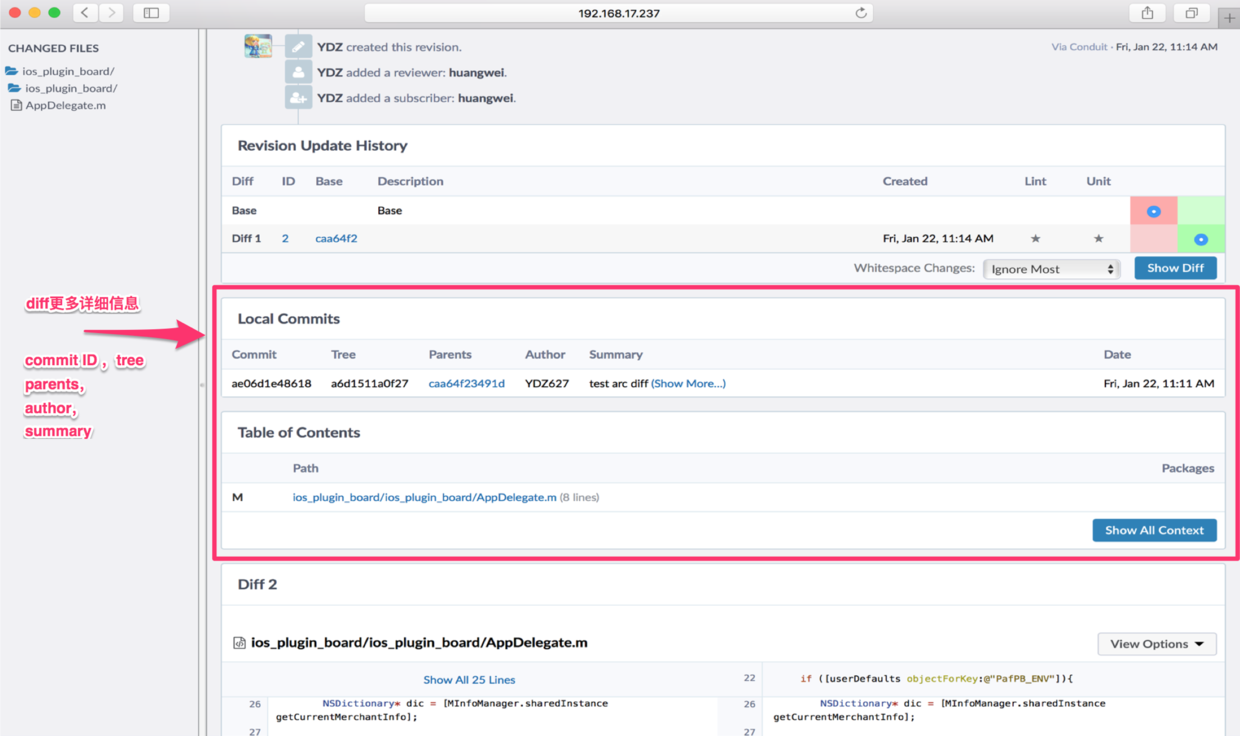
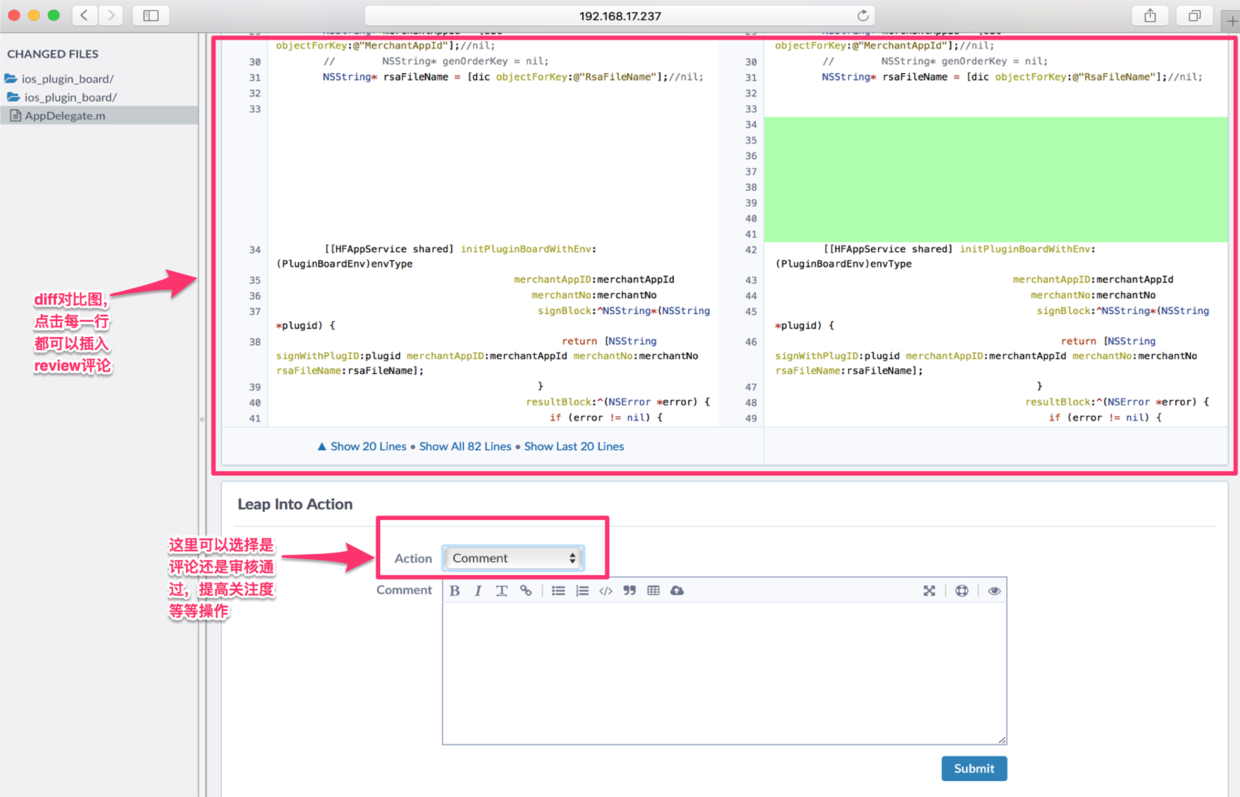
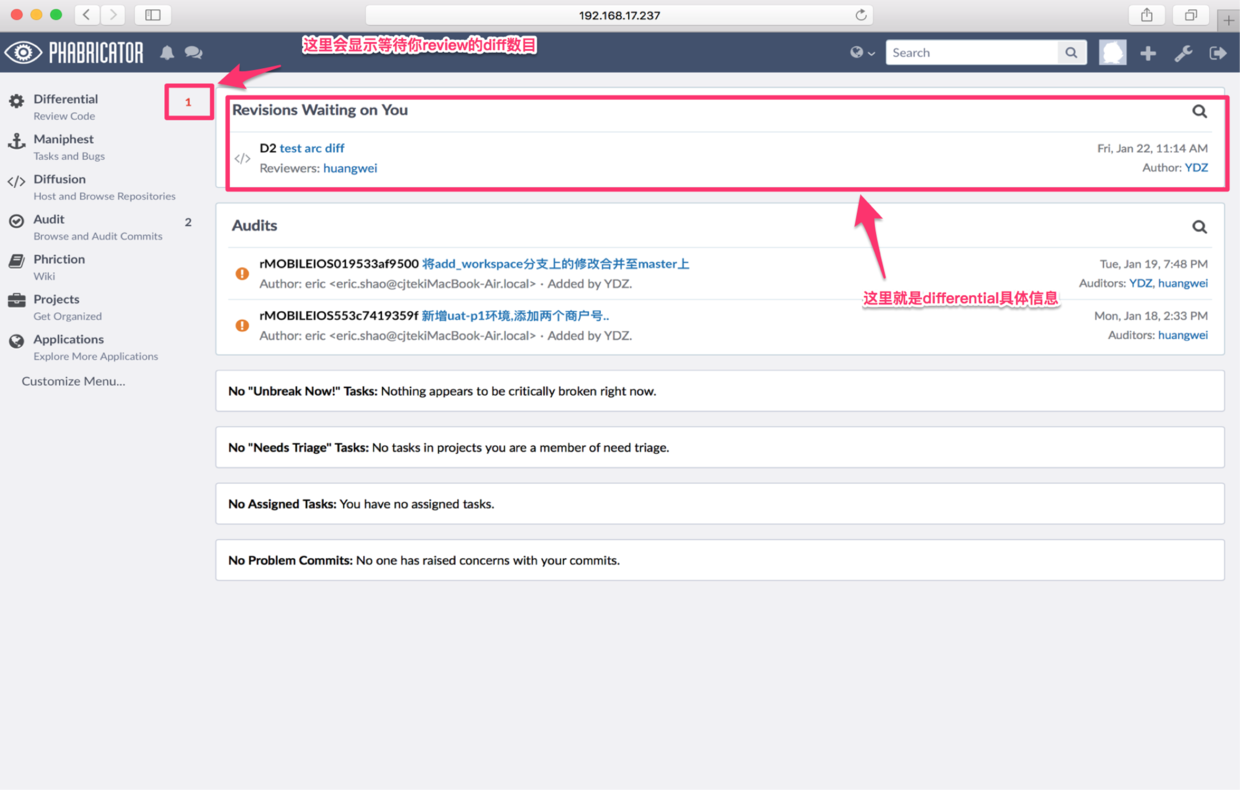
The reviewer will see an interface like this.
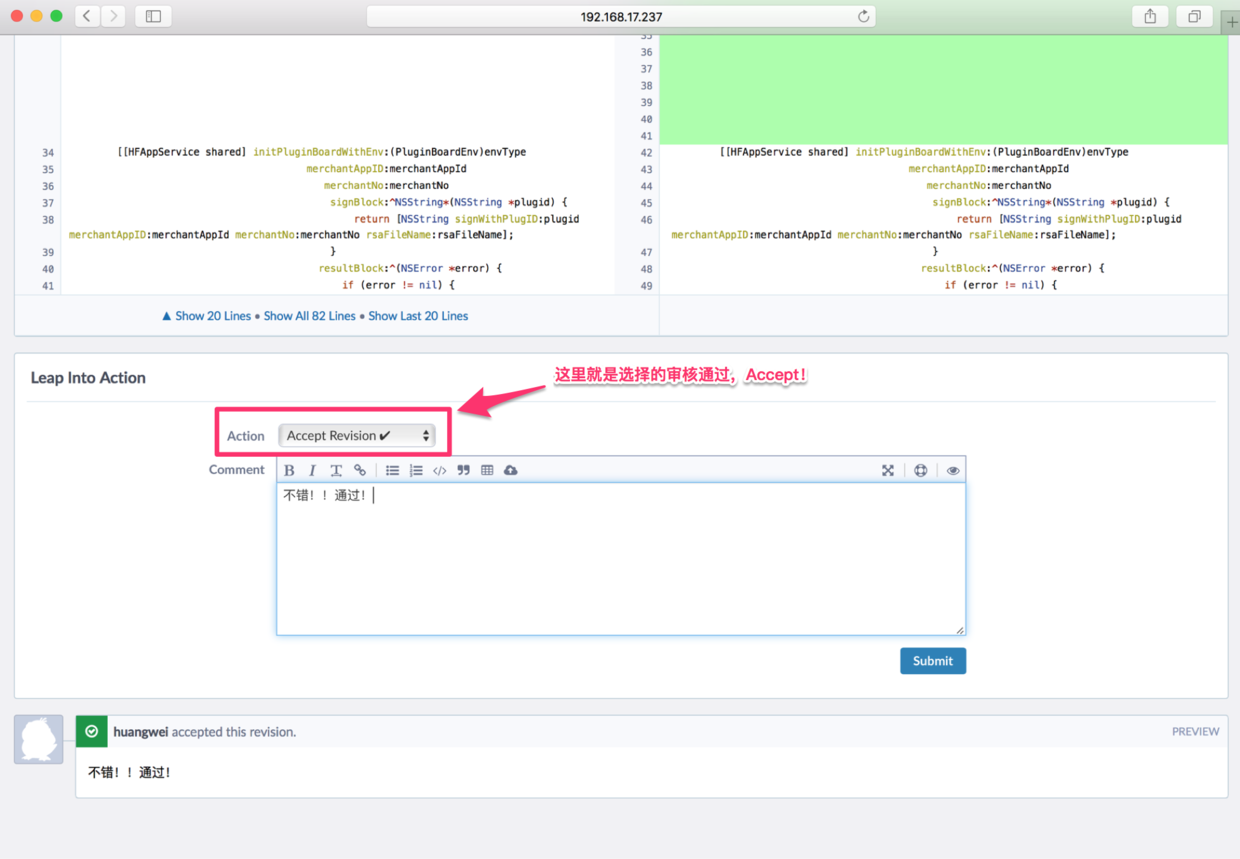
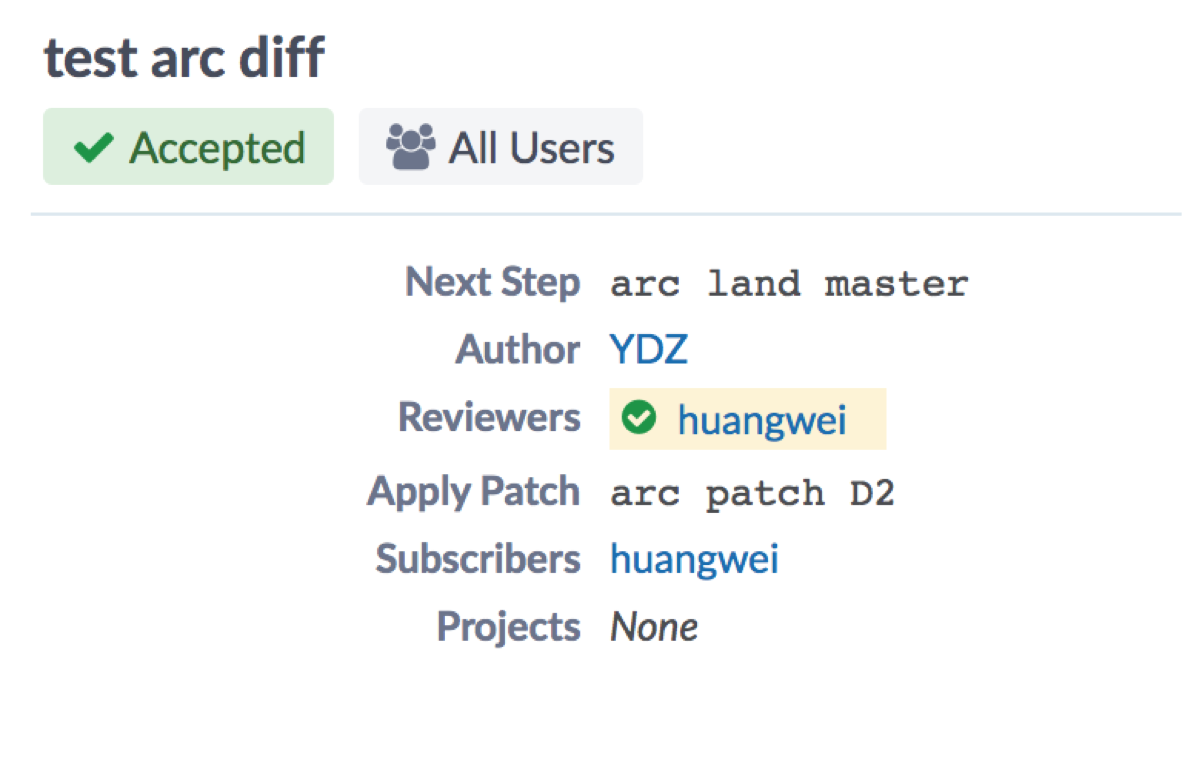
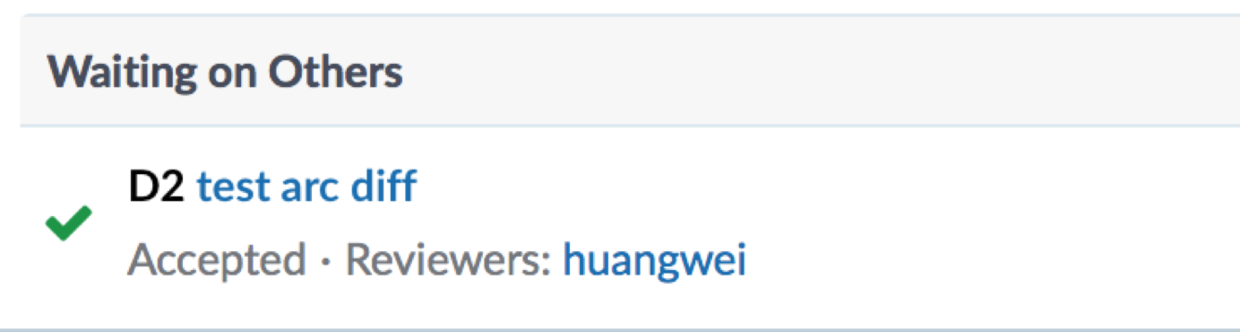
After the reviewer approves it, the person who requested the review will receive an approval notification in their UI.
III. Diffusion
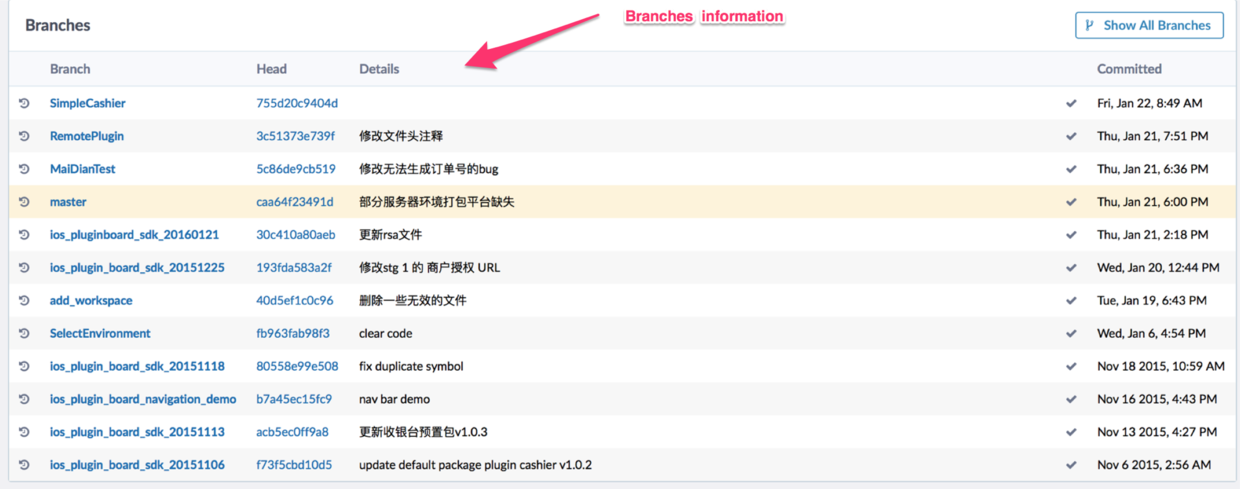
Phabricator provides a remote repository browsing tool similar to GitLab, called Diffusion. Developers can quickly view the following information: 1.VCS repository information: online version control system repository information
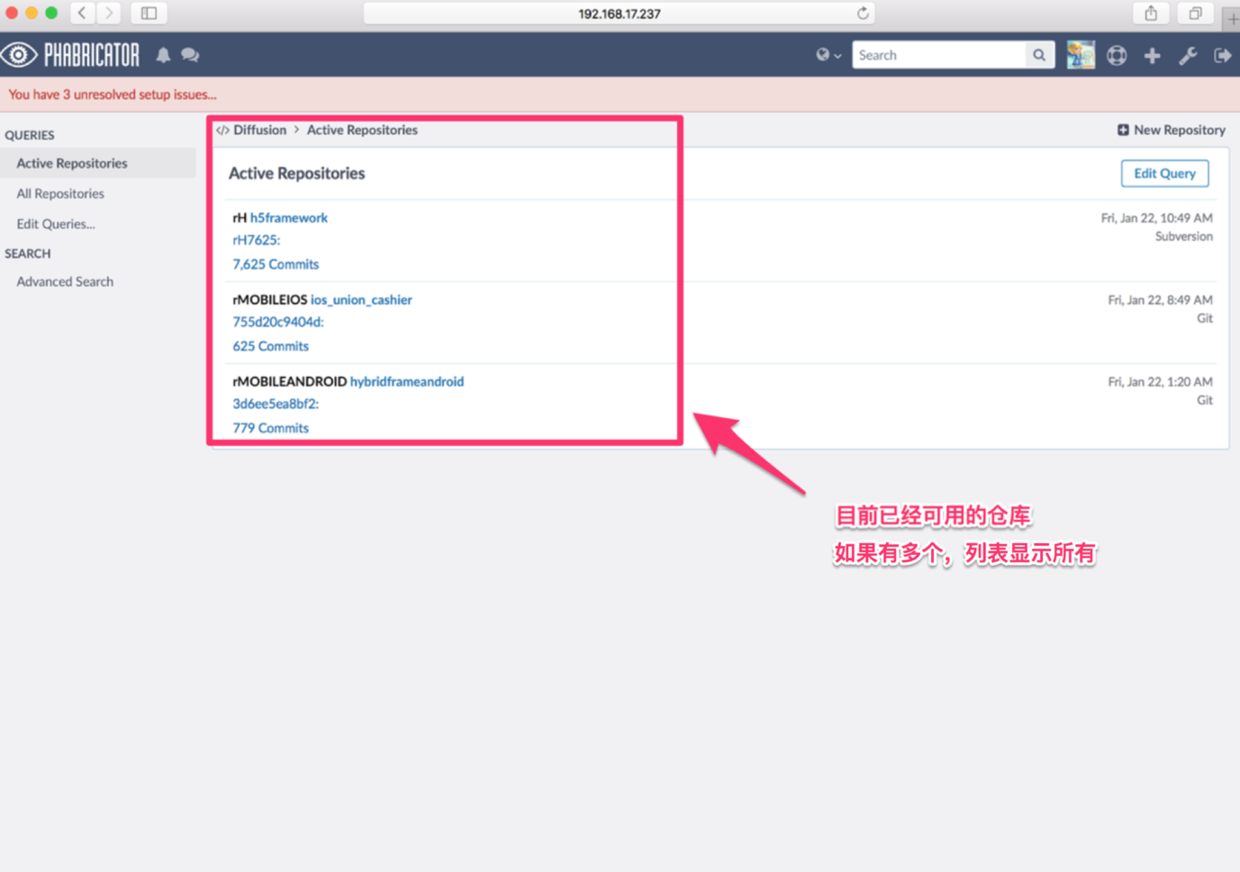
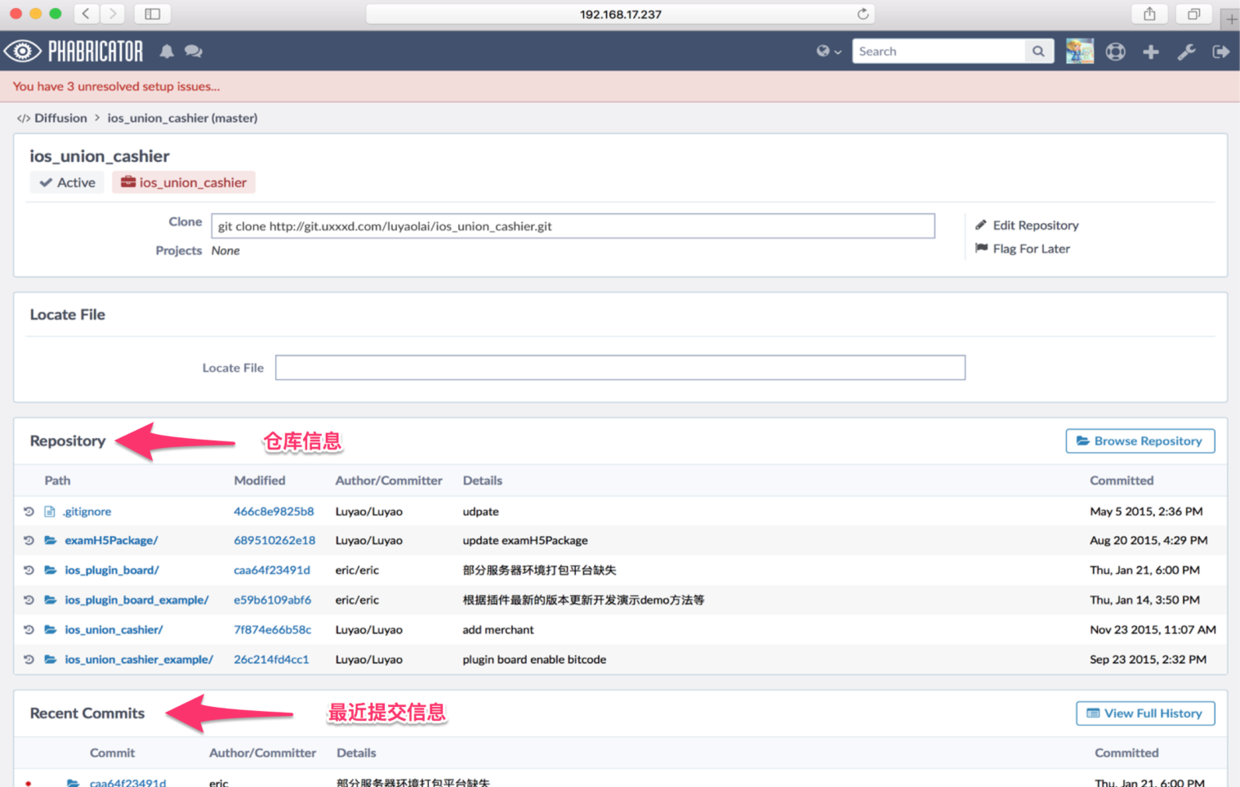
2.VCS commit history
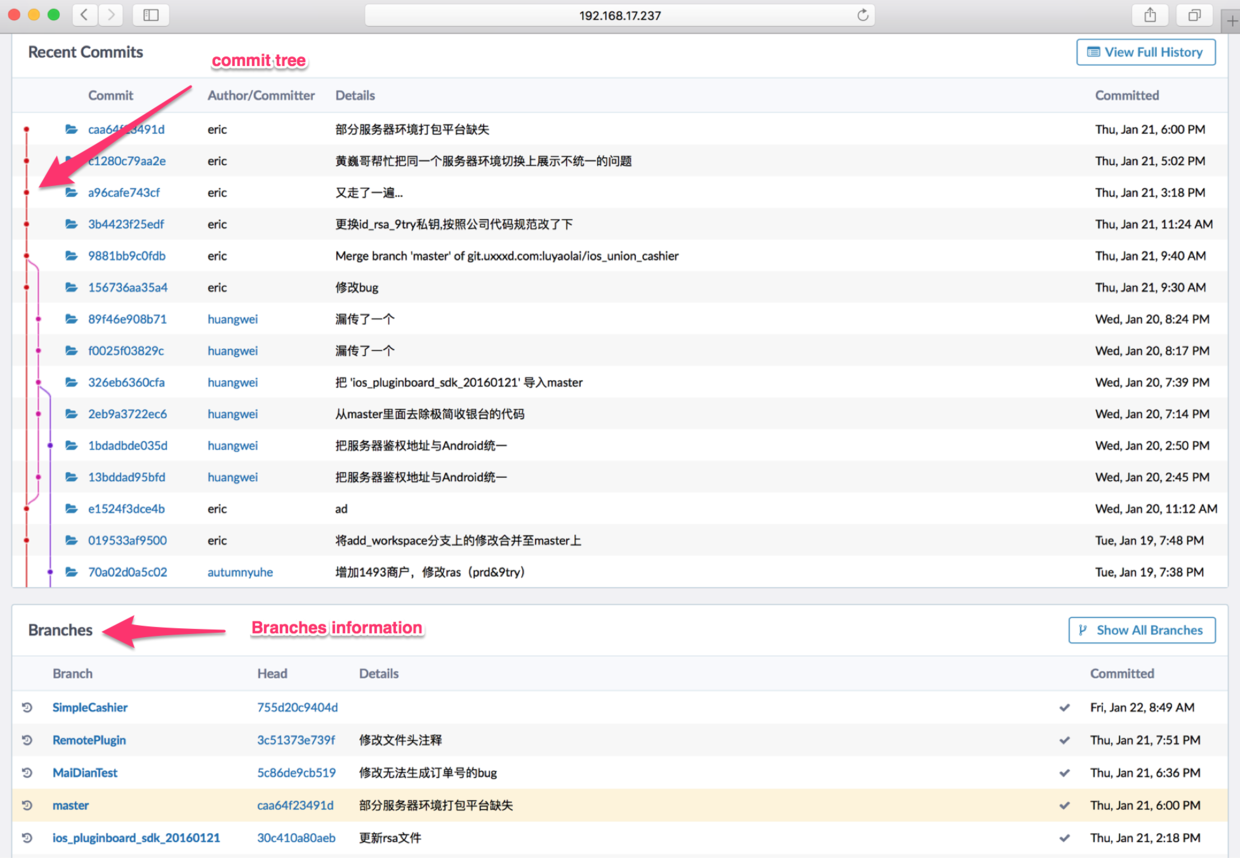
3.Repository directory structure
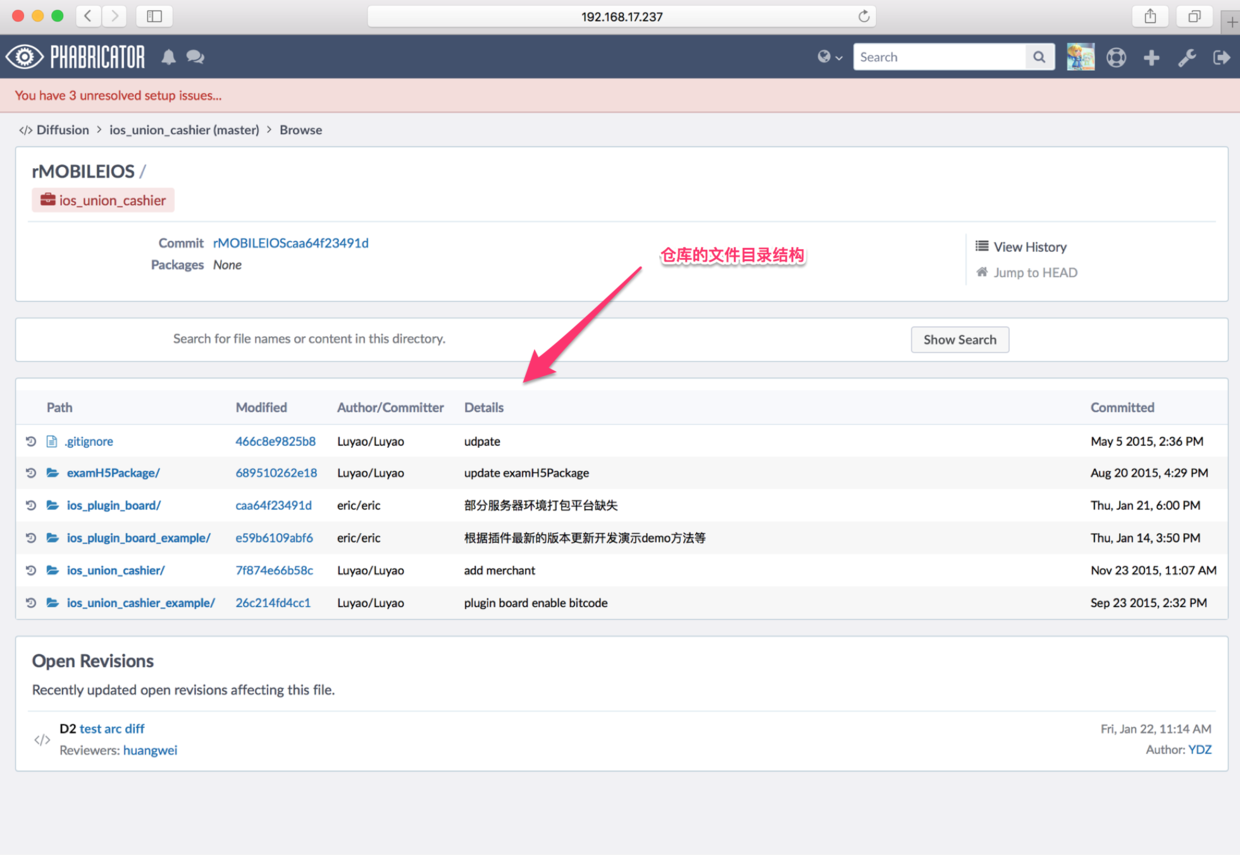
4.Directory structure & commit information: commit information
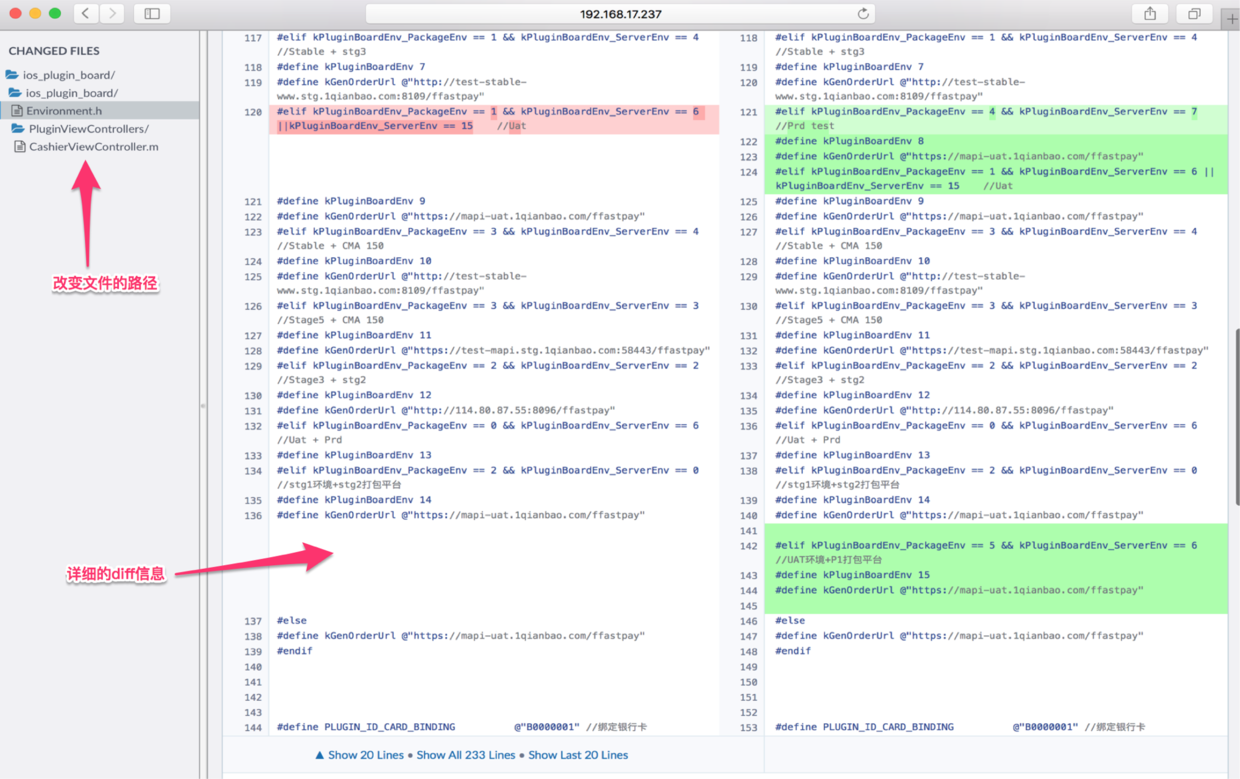
5.Branch information
IV. Audit
1.Differences Many people may wonder: now that we have Differential, why do we still need Audit?
Let me explain the difference between Review vs Audit.
1.Phabricator supports two similar but separate code review workflows:
2.Differential is used for pre-push code review, called “reviews” elsewhere in the documentation. You can learn more in Differential User Guide.
3.Audit is used for post-push code reviews, called “audits” elsewhere in the documentation. You can learn more in Audit User Guide. (By “pre-push”, this document means review which blocks deployment of changes, while “post-push” means review which happens after changes are deployed or en route to deployment.)
4.Both are lightweight, asynchronous web-based workflows where reviewers/auditors inspect code independently, from their own machines – not synchronous review sessions where authors and reviewers meet in person to discuss changes.
The above is Facebook’s official explanation. In simple terms, Differential is a code review tool used before code is submitted to a VCS repository. However, in some cases, due to certain circumstances, we may not have time to perform a very detailed pre-commit review and need to deploy ahead of time. So is there a way to perform code review after code has been submitted to the VCS, so we can ensure code quality? The answer is Audit. That is Audit’s responsibility.
2.How it works
Some people may still ask: how does Audit work? What is its underlying mechanism?
Audit is mainly implemented through Audit request triggers.
The Audit tool primarily tracks two things:
Code commits, and their audit status, such as “Not Audited”, “Approved”, or “Concern Raised”.
Audit Requests. An audit request reminds a user to audit a commit. It can be triggered in several ways.
Now that we’ve covered how it works, let’s look at its interface.
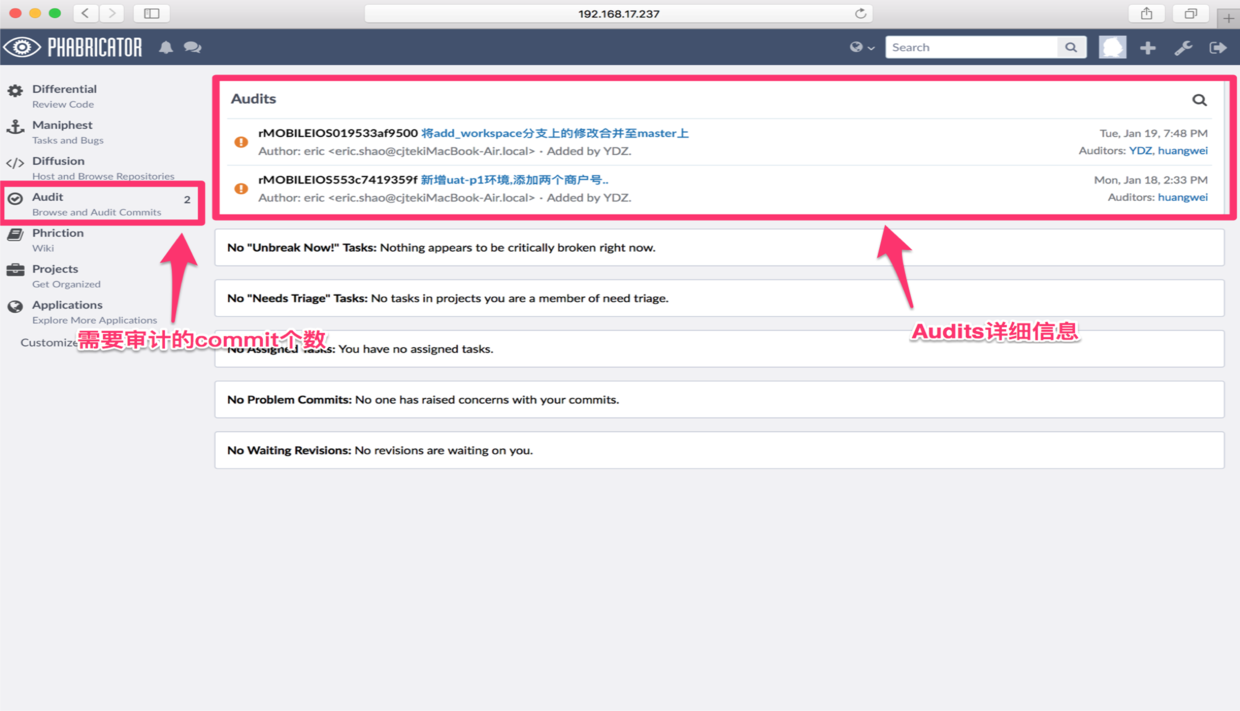
3.Audit types
Audit can be divided into two types:
Required Audits. When you are a member of a project or the owner of a package, Required Audits prompt you to audit a commit. When you approve the commit, the audit request is closed.
Problem Commits. These refer to cases where someone raises a concern during the audit process about code you submitted. When you resolve their concerns and all auditors approve the code, the problem commit disappears.
4.Audit workflow Here is an example to explain the Audit workflow in detail:
- A makes a code commit.
- B receives an audit request.
- After a while, B logs in to Phabricator and sees the audit request on the home page.
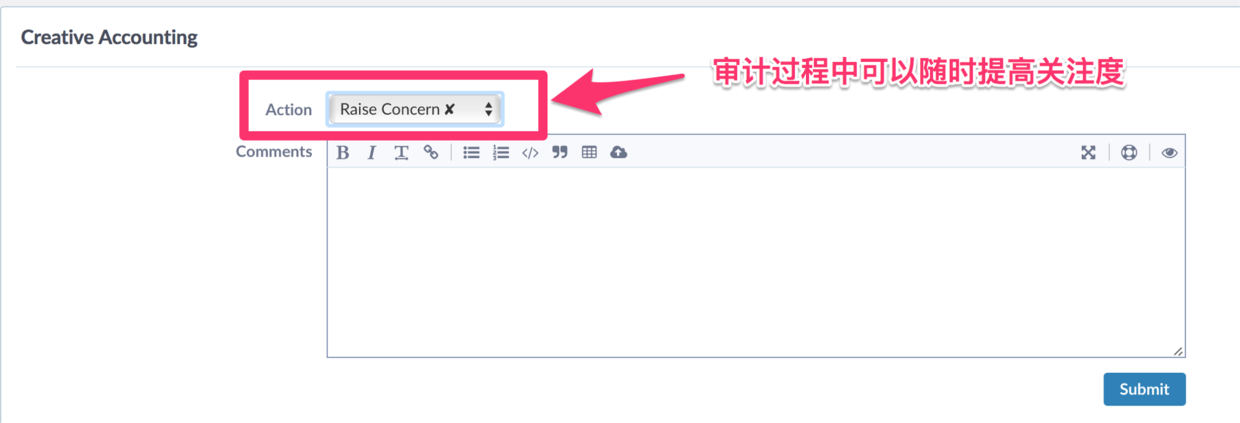
- B inspects the code submitted by A. He finds some issues in the code, then selects the “Raise Concern” option and describes those issues in a comment.
- A receives an email saying that B has concerns about her commit. She decides to handle the issue later.
- Soon after, A logs in to Phabricator and sees a notification under “Problem Commits” on the home page.
- A resolves those issues in some way, such as “discussing with B” or “fixing the issue and committing”.
- B is satisfied and approves the original commit.
- The audit request disappears from B’s to-do list. The problem commit also disappears from A’s to-do list.
The above is the standard Audit workflow.
5.Audit Triggers Audit requests can be triggered in the following four ways:
- Writing “Auditors: username1, username2” in the commit message will trigger audit requests for those users.
- In the Herald tool, you can create a series of trigger rules based on commit attributes, such as files being created, text being modified, the committer, and so on.
- In any commit, you can create an audit request for yourself through the commit message.
- You can create a package and choose “Enable Auditing”. This is a more powerful feature and may be useful for very large teams.
6.Some suggestions about Audit
- Auditor accountability. When reviewing a code commit, the audits assigned to you are highlighted. You are responsible for any audit actions you take.
- In the diff comparison area, click a line number to add an inline comment.
- In the diff comparison area, drag over line numbers to add an inline comment spanning multiple lines.
- Inline comments are initially saved only as drafts, until you submit the comment at the bottom of the page.
- Press the “?” key to view keyboard shortcuts.
Raise Concern
 Add Comment

V. Other Feature Summary: Other Commonly Used Features
- Maniphest: task management and defect tracking (similar to GitHub Issues)
- CountDown: scheduled reminder tool
- Repository: remote VCS repository management
- Herald Rule: create custom rules that notify us when certain events trigger those rules (similar to IFTTT)
VI. Final
Finally, let’s talk about the advantages of phabricator.
- In phabricator, diffs are also presented for review by submitting a request. However, its diff is not the full content of the files, but only the changed parts, so you don’t need to add the repository to the tool in advance. You can submit a diff directly, or paste the diff content to submit it.
- It is not only a code review tool; it also provides bug tracking, wiki, and other features. You can run unit tests directly and link bugs with code reviews.
- Requests are clearly categorized by status, and the search functionality is easy to use.
- Supports SVN and Git.
- All review work only requires a browser; no additional plugins or software need to be installed.
- The UI and usability are excellent. The interface layout and theme can be customized, making it more modern and lively.
“The function of good software is to make the complex appear to be simple”
–Grady Booch,One of the UML founders
“The function of good software is to make the complex appear to be simple.” (Grady Booch, one of the founders of UML)
Let’s all experience the power of code review together!!
This article shares how to use Phabricator. If your company has this server, or has purchased a Phabricator service, but you don’t yet know how to use it, you should be able to get started after reading this article!! When I have time, I’ll share some of the pitfalls I encountered when setting up this server myself. That’s it for this post—discussion is welcome!
Here is the Keynote I used when sharing this at my company. It’s nothing fancy, but I’m sharing it here as well for anyone who wants to take a look: http://pan.baidu.com/s/1dFiAaM9
GitHub Repo:Halfrost-Field
Follow: halfrost · GitHub
Source: https://halfrost.com/code_review_phabricator_use_guide_introduce/
