Things to Keep in Mind About IB_DESIGNABLE / IBInspectable
Preface
IB_DESIGNABLE / IBInspectable are two keywords introduced in Xcode 6. They were demonstrated with a Swift example in the WWDC 2014 session “What’s New in Interface Builder”.
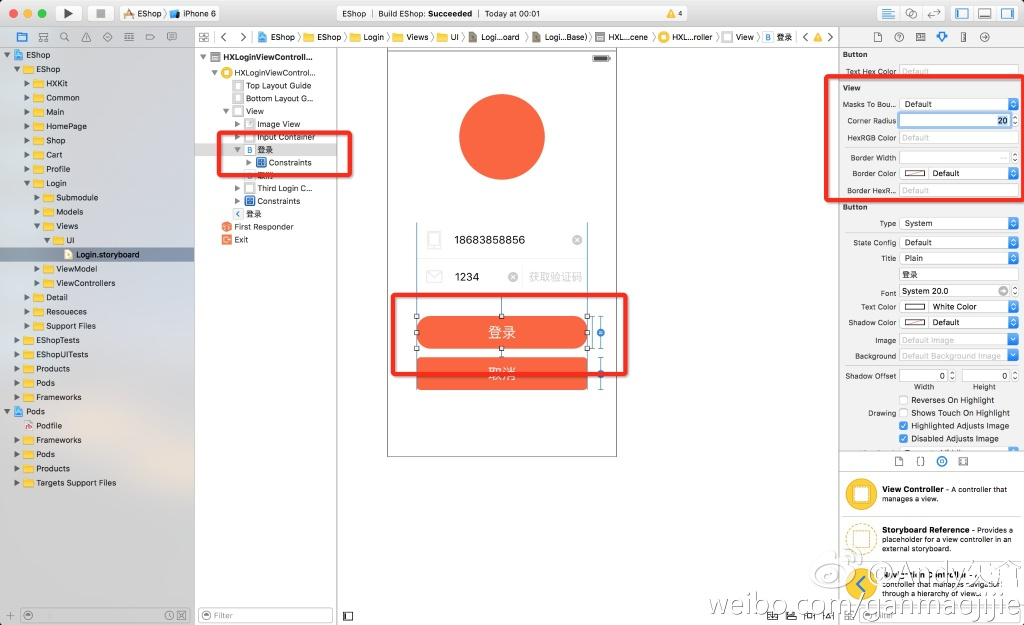
These two keywords are used on our custom Views. For now, they can only be used in subclasses of UIView, so applying these keywords to the native controls provided by the system has no effect.
Live RenderingYou can use two different attributes—@IBDesignable and @IBInspectable—to enable live, interactive custom view design in Interface Builder. When you create a custom view that inherits from the UIView class or the NSView class, you can add the @IBDesignable attribute just before the class declaration. After you add the custom view to Interface Builder (by setting the custom class of the view in the inspector pane), Interface Builder renders your view in the canvas.You can also add the @IBInspectable attribute to properties with types compatible with user defined runtime attributes. After you add your custom view to Interface Builder, you can edit these properties in the inspector.
The general idea is “what you see is what you get”: we can render custom code into Interface Builder in real time. The bridge that makes this possible consists of two directives: @IBDesignable and @IBInspectable. With @IBDesignable, we tell Interface Builder that this class can be rendered live in the UI. No matter how complex our drawRect implementation is, or how complex the customization is, Xib / Storyboard can compile it and render it for display. However, this class must be a subclass of UIView or NSView. With @IBInspectable, we can define dynamic properties whose values can be edited visually in the Attributes inspector panel.
 @IBInspectable var integer: Int = 0
 @IBInspectable var float: CGFloat = 0
 @IBInspectable var double: Double = 0
 @IBInspectable var point: CGPoint = CGPointZero
 @IBInspectable var size: CGSize = CGSizeZero
 @IBInspectable var customFrame: CGRect = CGRectZero
 @IBInspectable var color: UIColor = UIColor.clearColor()
 @IBInspectable var string: String = ""
 @IBInspectable var bool: Bool = false

These two keywords are not today’s focus; you can learn how to use them just by looking at a demo.
Demo
If you want to watch the sessions, you can check out these two WWDC 2014 links:
whats_new_in_xcode_6
whats_new_in_interface_builder
Apple’s official documentation
Today I’d like to share some issues I ran into while using these two keywords, along with how I resolved them.
1.The agent raised a “NSInternalInconsistencyException” exception
file://BottomCommentView-master/BottomCommentView/Base.lproj/Main.storyboard: error:
IB Designables: Failed to update auto layout status: The agent raised a "NSInternalInconsistencyException" exception: Could not load NIB in bundle: 'NSBundle </Applications/Xcode.app/Contents/Developer/Platforms/iPhoneSimulator.platform/Developer/Library/Xcode/Overlays> (loaded)' with name 'BottomCommentView'

file://BottomCommentView/Base.lproj/Main.storyboard: error:
 IB Designables: Failed to render instance of BottomCommentView: The agent threw an exception.
We can see that in the panel, under Designables, it shows a Crash. Xib / Storyboard can crash too! The app itself runs, but there are 2 errors reported—unacceptable! These two errors are actually Xib errors reported at compile time, not runtime errors.
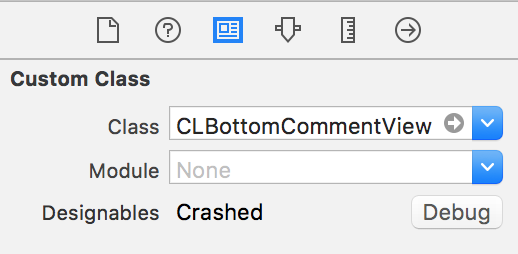
When we see Debug, the first thing we naturally think of is clicking Debug. Unfortunately, in this case, clicking Debug will always tell you “Finishing debugging instance of XXXX for interface Builder”. Even if you set a breakpoint inside your custom View, it won’t help.
Back to the issue itself. Let’s take a closer look at the crash message. It says Could not load NIB in bundle, and it also gives us something that looks like a path.
'NSBundle </Applications/Xcode.app/Contents/Developer/Platforms/iPhoneSimulator.platform/Developer/Library/Xcode/Overlays> (loaded)'
We can determine that the failure occurs when the XIB is loaded from the bundle.
After looking up information online, the issue is actually this.
When loading the nib, we’re relying on the fact that passing bundle: nil defaults to your app’s mainBundle at run time.
Every time we retrieve mainBundle, we use the default method.
let nib = UINib(nibName: String(StripyView), bundle: nil)
When the Xib / Storyboard is compiled, we need to tell iOS which bundle class to use for loading. Just change the code above to the following.
let bundle = NSBundle(forClass: self.dynamicType)
let nib = UINib(nibName: String(StripyView), bundle: bundle)
Or like this
#if TARGET_INTERFACE_BUILDER
        NSBundle *bundle = [NSBundle bundleForClass:[self class]];
        [bundle loadNibNamed:@"BottomCommentView" owner:self options:nil];

#else
        [[NSBundle mainBundle] loadNibNamed:@"BottomCommentView" owner:self options:nil];

#endif
PS: If your custom view does not appear in the Xib / Storyboard, but shows up once the program runs, this may also be the reason. Although Xib / Storyboard does not report an error, because the app has not actually run, Xib / Storyboard does not know the context, so it does not load our custom view.
2. The custom control still does not appear correctly in code or Xib
If you added the bundle-related code mentioned in the first issue above and it still does not appear, the code may have been added in the wrong place.
If the control is created manually in code, the initWithFrame method will be called.
- (instancetype)initWithFrame:(CGRect)frame
If the UI control is added by dragging it in a Xib / Storyboard, the initWithCoder method will be called.
- (instancetype)initWithCoder:(NSCoder *)aDecoder
You need to add the bundle method in the corresponding two methods. To be safe, add the code from Issue 1 to both of these init methods.
3.Failed to update auto layout status: The agent crashed / Failed to render instance of XXXXXXX: The agent crashed
file://BottomCommentView/Base.lproj/Main.storyboard: error:
IB Designables: Failed to update auto layout status: The agent crashed

file://BottomCommentView/Base.lproj/Main.storyboard: error:
IB Designables: Failed to render instance of BottomCommentView: The agent crashed
If you run into this issue, it’s fairly serious. Unlike issue one, where the entire app can still run and the error comes from Xib / Storyboard compilation without affecting runtime behavior.
This issue, however, will directly cause the entire app to crash!
There’s nothing else to do—we have to set breakpoints and debug it.
If you enable Debug under Designables, then set breakpoints in initWithCoder and initWithFrame, you’ll find that the program always reaches this line:
self = [super initWithCoder:aDecoder];
or this line
self = [super initWithFrame:frame];
It crashed. In fact, you can quickly tell what happened from the stack trace below:
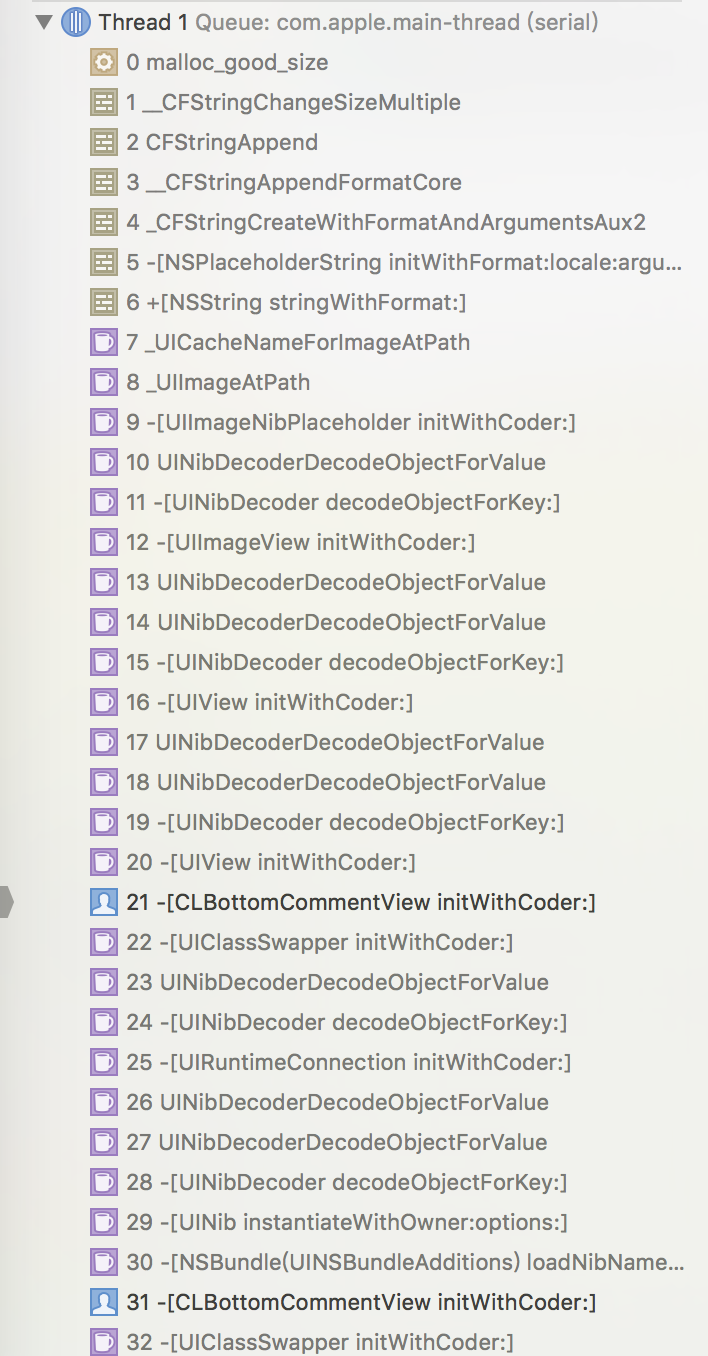
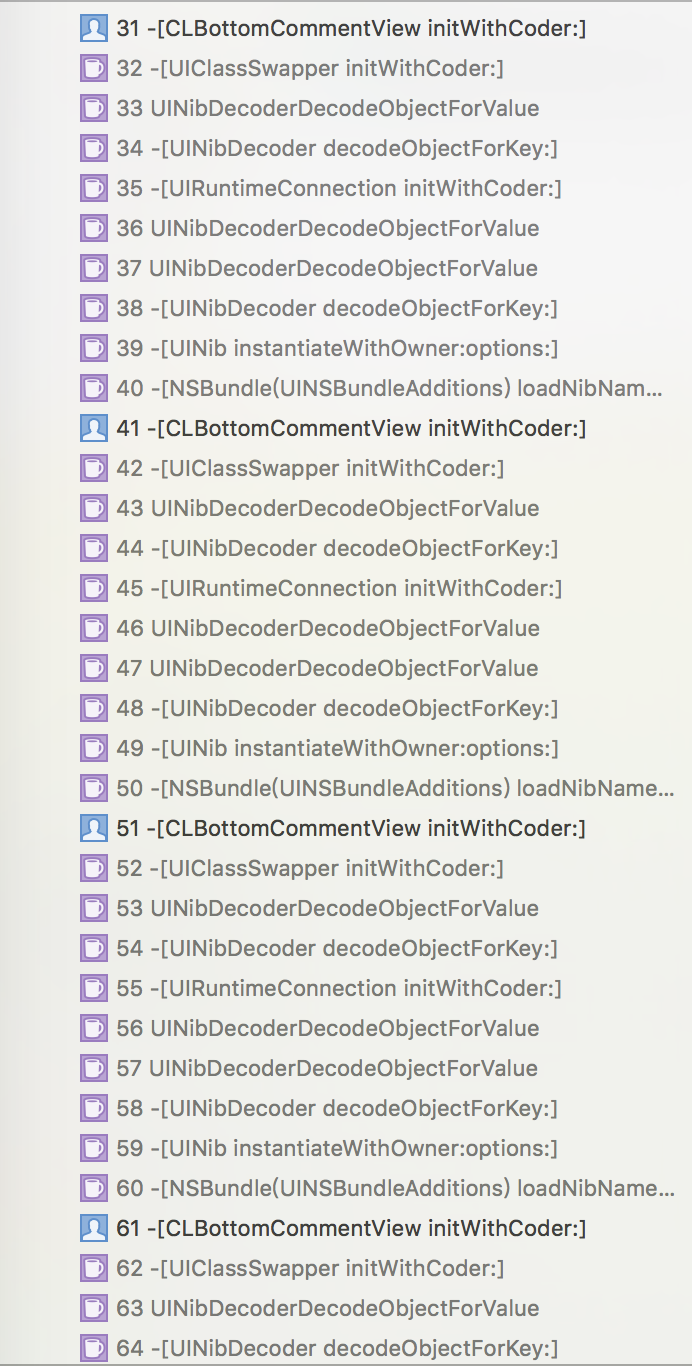
It is very obvious that the initWithCoder method has fallen into an infinite loop. That infinite loop caused the app to crash.
But why does an infinite loop happen here? The root cause is that the class of our custom class was set to the class itself.
Let’s look at what exactly happened. In Xcode 7, when we create a View by default, Xcode does not generate an XIB file for us. A ViewController has the following option, which you can choose to check.
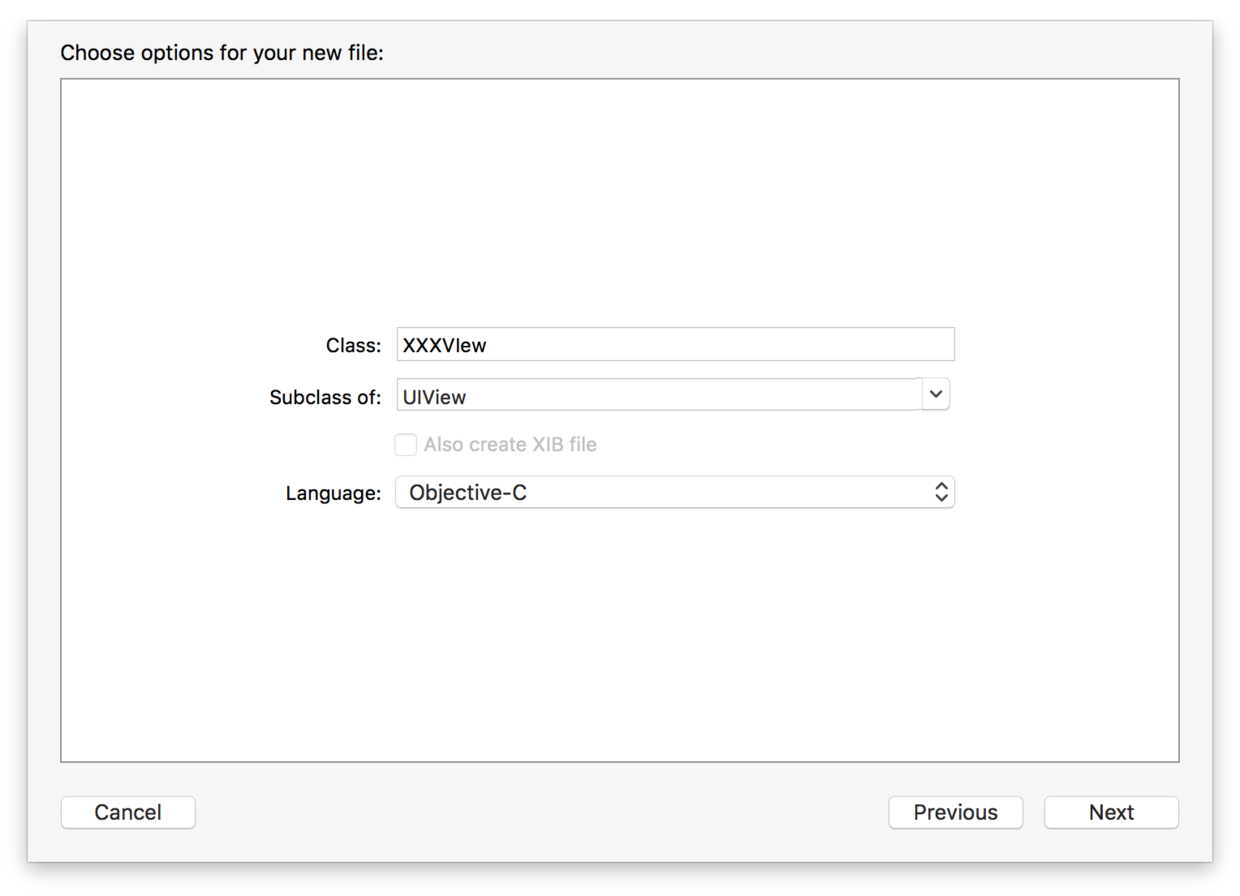
After creating this class, we also need to create an XIB and associate it with the class.
Now compare that with the process of creating a TableViewCell
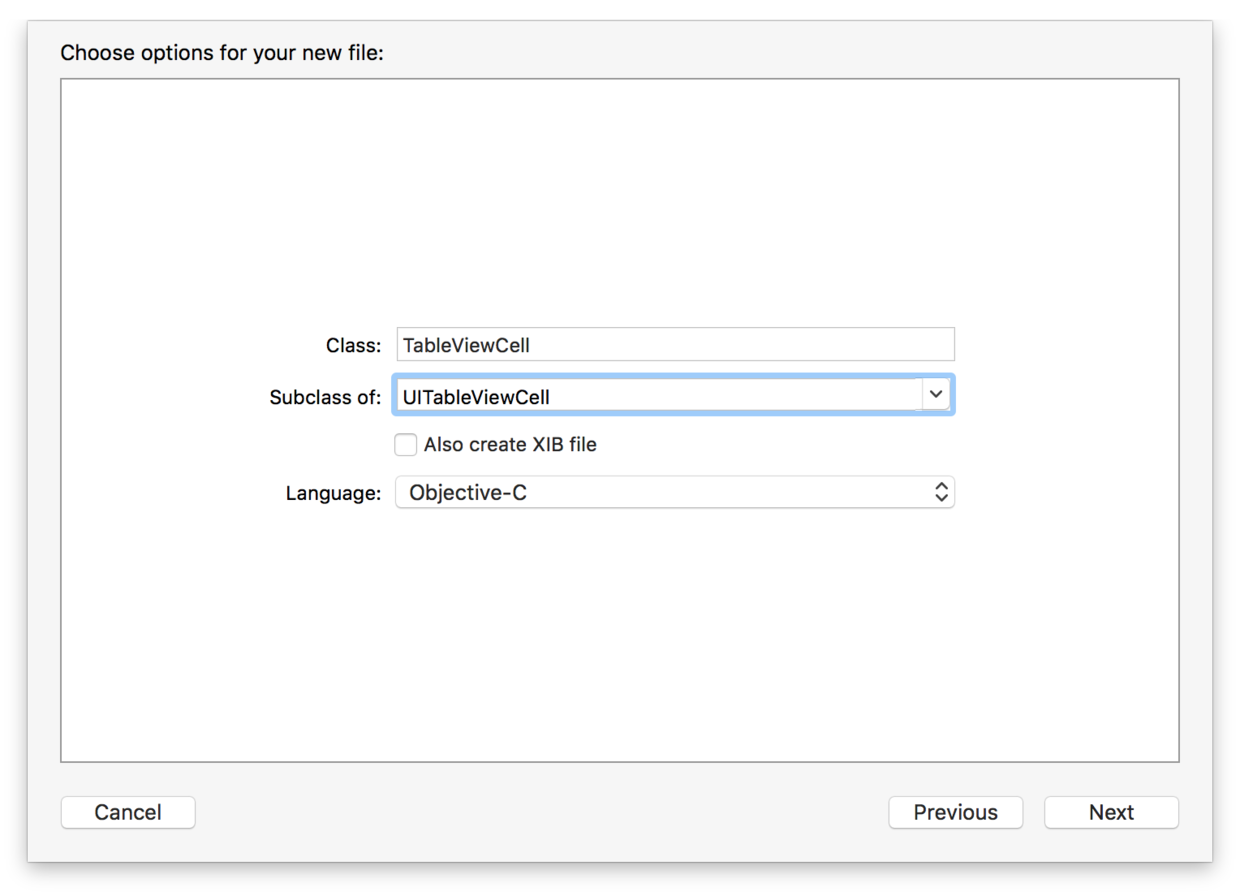
Usually we check “Also create XIB file”. After creation, we fill in the class name of our cell under Custom Class.
If we use the same approach when customizing a View—after creating the XIB file, associating the File's Owner, and then filling in our custom class under Custom Class—that is where things go wrong!
Why is the same approach we normally use incorrect here?
Let’s think through the loading process of our custom View. This custom View must be placed on a ViewController, either created in code or dragged directly onto an XIB / Storyboard. Whether we create it in code or drag a View onto the storyboard, we need to specify what class it is. There is no doubt about that; it is absolutely fine. The class of the View dragged onto the storyboard must be set to our custom View.
However, when this View is loaded, it will go through initWithCoder / initWithFrame. Inside this method, it will call the corresponding super method. Now that we have set this class to the class itself, according to the debug logs above, after initWithCoder, the following call path is taken.
[NSBundle loadNibName] —— [UINib instantiateWithOwner:options] ——[UINibDecoder decodeObjectForKey:]——UINibDecoderDecodeObjectForValue——[UIRuntimeConnection initWithCoder]——[UINibDecoder decodeObjectForKey:]——UINibDecoderDecodeObjectForValue——[UIClassSwapper initWithCoder:]——[BottomCommentView initWithCoder:]
Starting from NSBundle loading, after parsing is complete it calls ClassSwapper’s initWithCoder. Because we set class to the class itself, it falls into an infinite loop here. The app crashes! This is just like calling dot-syntax assignment inside a setter method, causing infinite recursive calls.
After the analysis above, we know the problem is that we call loadNibName again inside initWithCoder, and loadNibName eventually calls UIClassSwapper initWithCoder. Is our custom class wrong then? Comparing this with a custom tableViewCell, its class is also set to itself, so why does it not have this problem?
Let’s take a closer look at how a tableViewCell is loaded. The class of our XIB is still itself, but the registerWithNibName method is called in the tableView, so it does not recurse infinitely.
Of course, we can imitate that approach here as well. We would need to move loadNibName into another class. The class is still set to the class itself, and that other class loads our View. This avoids crashes and infinite recursion. But then another problem appears: we can no longer preview our View in real time in the XIB/Storyboard.
Here we need to mention how IB_DESIGNABLE works. After we use the IB_DESIGNABLE keyword, the XIB/Storyboard compiles and runs the code for this View without running the entire app. Because there is no application context, all compilation happens only within the code of this view.
We dragged a View into a ViewController and changed its class to our custom class. From that point on, all drawing of the view is handed over to the class of our custom view and managed by that class. There are two cases here. The first is the example Demo I gave at the beginning of the article, where the appearance of the View is drawn using DrawRect code. This does not cause any problems. The second case is that we still want to use an XIB to display the View; this is the case of loading an XIB again from within an XIB/Storyboard. Since our custom class has now taken over the drawing responsibility of the entire view, we should call loadNibName in initWithCoder and load the entire View during initialization. Based on the analysis above, we found that the crash is caused by infinite recursion. But we still must call initWithCoder, so our only option is to change the class to the parent class, namely UIView. At that point everything works: XIB/Storyboard no longer reports errors, and the view’s appearance can be displayed immediately.
To summarize:
when using loadNibNamed:owner:options:, the File’s Owner should be NSObject, the main view should be your class type, and all outlets should be hooked up to the view, not the File’s Owner.
P.S. This refers only to loadNibNamed, not initWithNibName. While we are here, let’s briefly mention the difference between them. For initWithNibName, the class of the XIB to load is the ViewController we defined. For loadNibNamed, the class of the XIB to load is NSObject. Their loading behavior is also different. The initWithNibName method performs lazy loading: the controls on the View are nil, and only become non-nil when they need to be displayed. loadNibNamed loads immediately; after calling this method, all elements in the loaded XIB object already exist.
Summary
When I first learned about IB_DESIGNABLE / IBInspectable, I found them incredibly magical: even our customized Views could be previewed immediately. But after doing some research, I found that IB_DESIGNABLE / IBInspectable still have some shortcomings. IB_DESIGNABLE can currently only be used in subclasses of UIView; common cases like adding rounded corners to a UIButton still cannot be previewed for now. IBInspectable essentially sets values in Runtime Attributes, which also means IBInspectable can only use common types. Types like NSDate cannot be set as IBInspectable.
The above are some of the “pitfalls” I encountered while using IB_DESIGNABLE / IBInspectable, shared with everyone.
Update:
For the following section, I need to thank @Andy矢倉 for pointing this out to me on Weibo. In fact, system subclasses can be handled like this: extract common base classes for several commonly used controls, and use External to separate common properties. For more complex cases, see this library: IBAnimatable
@Andy矢倉 also reminded me that this feature is best used with iOS 8 + Swift. With OC or iOS 7, Failed to update may occur and there is no solution. Thanks again to @Andy矢倉 for the guidance!!! The image below shows his visual customization of system controls!