A cross-platform app for three platforms built with the Vue ecosystem + Electron
Building a Cross-Platform Full-Stack App for ObjC China with Vue.js
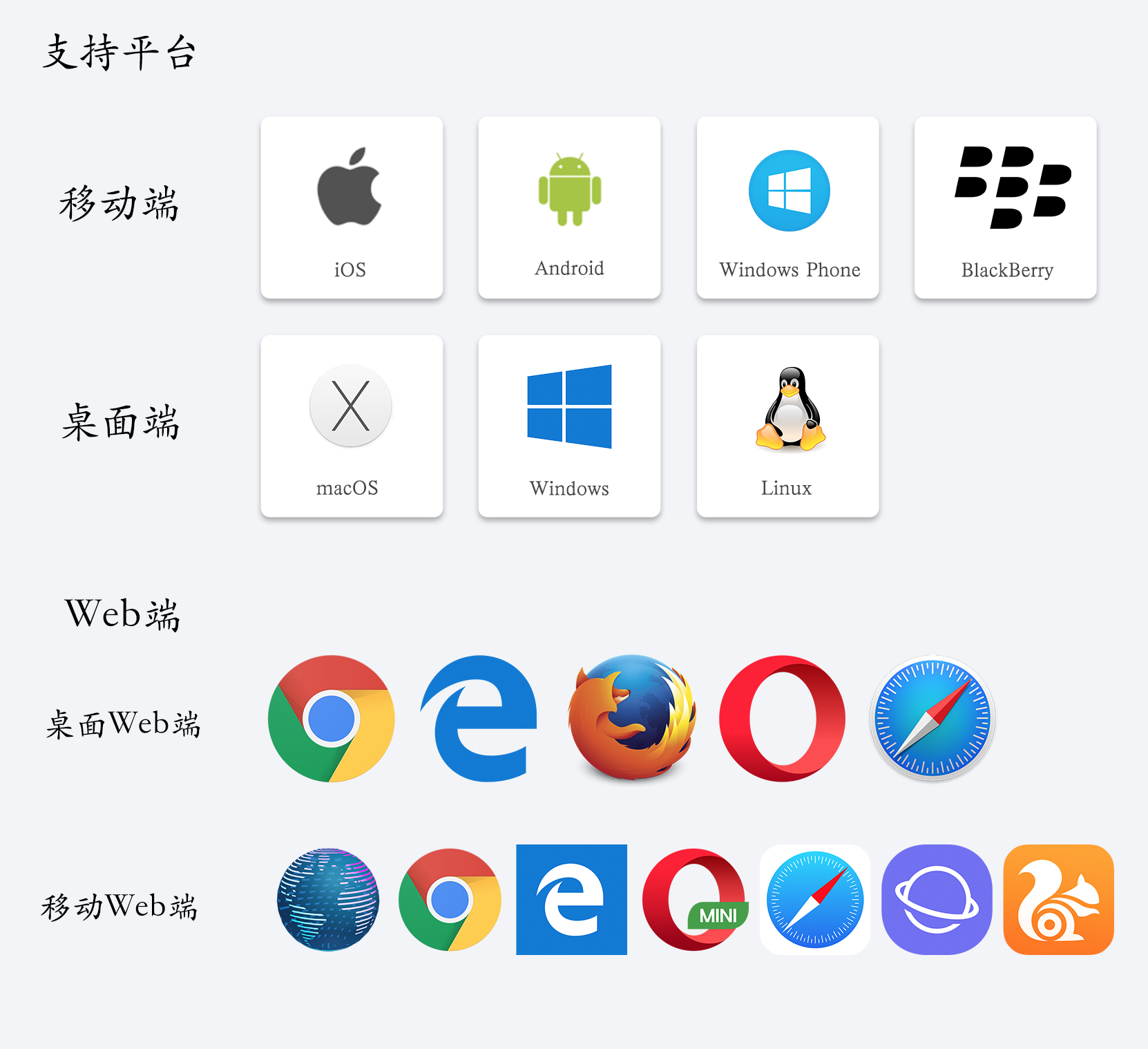
- ✅ Desktop app, supporting Mac, Linux, and Windows
- ✅ Web app, supporting desktop browsers and mobile browsers
- ✅ Mobile app, currently only supporting the Cordova framework, with support for iOS, Android, Windows Phone, and BlackBerry
- ❌ Native mobile app, planned with the Weex framework, also supporting both iOS and Android
Note: This project is purely a personal experiment. Please support Miao Shen (@onevcat) and support ObjC China.
Preface
1. About Me
I am a full-time iOS developer, not a frontend developer. I came into contact with Vue.js through working with Weex.
2. Why Did I Build This Project?
The initial idea came from a reader. He asked me on my blog whether there were any well-written Weex demos online. I said the Hacker News demo written by Evan You was the best one. Later he asked, “Could you write one?” At the time, I said I couldn’t for the moment. But I’ve actually kept it in mind ever since.
On May 19 this year, GitHub rewrote its macOS and Windows clients with Electron. In recent years, cross-platform development has become increasingly popular. For some companies, both web and app products are needed, and apps also need to cover both iOS and Android. Some even need to develop mini programs. Desktop applications are less common, but with Electron they can be developed together as well. So I also started feeling eager to give it a try.
Since I had started working with Vue.js, I naturally didn’t want to stay at a beginner level; I wanted to level up. Evan You’s advice was to practice more and build more. To accelerate my progress, I looked for projects to practice with on my own.
As for why I chose ObjC China, the reason is actually simple: I am an iOS developer. Among iOS developers, ObjC is basically known by everyone (is there anyone who doesn’t know it?), and Miao Shen is also basically known by everyone. I personally admire Miao Shen a lot, so I chose ObjC China as the project to build.
Because of love … …
3. Why Is Weex Not Included in This Cross-Platform Development Effort?
After finishing this project, I found that directly converting the Vue code into a Weex project does not work; there are many errors. And they are not something that can all be fixed immediately. I believe this is an issue with how I’m using it, not a problem with Weex itself. By the way, Weex has released a new version again. If I have time next, I’ll also build and open-source the Weex version.
Alright, let’s get to the point and talk about the project:
Tech Stack and Main Frameworks
- Vue ecosystem: vue2 + vuex + vue-router + webpack
- ES6
- Network requests: axios
- Responsive UI frameworks: bootstrap, element-ui
- Backend: express
- Code highlighting: highlight.js
- Database: lowdb
- Markdown parser: vue-markdown
- Form validation: vee-validate
- Cross-platform framework: Electron
Project Setup
Since Miao Shen’s ObjC website directly returns HTML, if I wanted to simulate network requests returning data, I had to build a backend myself and write APIs to return the data.
I used Express to set up the backend on port 8081 and configured the routes. Requests are forwarded to 8080, and the backend is automatically started when the server starts.
# install dependencies install dependencies
npm install

# serve with hot reload at localhost:8080
npm run dev

# serve with hot reload at localhost:8080
npm run start

# build for production with minification package
npm run build

# build for production and view the bundle analyzer report
npm run build --report

# run unit tests
npm run unit

# run e2e tests
npm run e2e

# run all tests
npm test

# Build Mac app
npm run build:mac

# Build Linux app
npm run build:linux

# Build Win app
npm run build:win

# Build Cordova app
npm run build:app
Here I need to talk separately about Cordova packaging, because it is a bit more special than the desktop side.
First, uncomment the three Cordova-related lines in the src/main.js file. The initialization of the Cordova library needs to wrap around the creation of the Vue instance. After uncommenting them, proceed with the following steps.
I included a Makefile in the project, so you can follow that.
- First, install the cordova command globally
npm install -g cordova
- Then enter the following command to generate the app project directory
cordova create app com.vueobjccn vueobjccn
- Go into the app folder
cd app
- Add the corresponding platforms
cordova platform add ios
cordova platform add android
- Run the project
cordova run ios
cordova run android
Cordova only generates a shell app; the actual content inside is still loaded from web pages. In each generated application, there is a www folder, and this folder contains the pages to be loaded. After JavaScript is packaged, it will generate a www folder. You only need to replace the contents of the www folder for the corresponding Cordova platform.
A few extra notes: in an era where apps have become so mature, if you are building a large app with the Cordova framework, without going native and without doing any optimization, the user experience is indeed not as fast as a native app. This time I specifically packaged a Cordova app to try it out. I did not do any optimization; I just packaged it and used it. If the user is picky, compared with today’s almost perfect user experience in major apps, it really does feel somewhat less satisfying. If you really want to develop an app on the frontend, I have two suggestions: if you use the Cordova framework, you must optimize as much as possible; otherwise the performance will not match native. If you want an experience close to native, then you can consider React Native or Weex.
Cross-Platform Development
For packaging JavaScript cross-platform development into desktop applications, the main framework used is Electron. Here you need to install “electron”, “electron-builder”, and “electron-packager” in devDependencies. Other path configuration can be configured in webpack.
As for installing Cordova, there is indeed something to complain about regarding network issues. If you are in a place with a poor VPN/proxy environment, it is truly painful. For example, previously, when I globally installed Cordova under a very poor VPN/proxy environment, I ran into all kinds of errors. Even after switching to cnpm and installing everything successfully, after adding the iOS platform, it would report an issue that a co file could not be found. It felt like cnpm had not installed the command completely. Later, after I got back home where the VPN/proxy network was good, npm install completed right away. There was one minor episode though: if the Cordova iOS 4.4.0 template reports an error, just install it a few more times. The cause is still the VPN/proxy issue; it did not catch everything.
You may also encounter the following error:
“Error: Cannot find module ‘config-chain’” when running ‘ionic start’
For this error, just retry the original command once with sudo.
The final packaged output will be in the dist folder.
Next, let’s show how this three-platform application performs on each platform:
First, the Web side


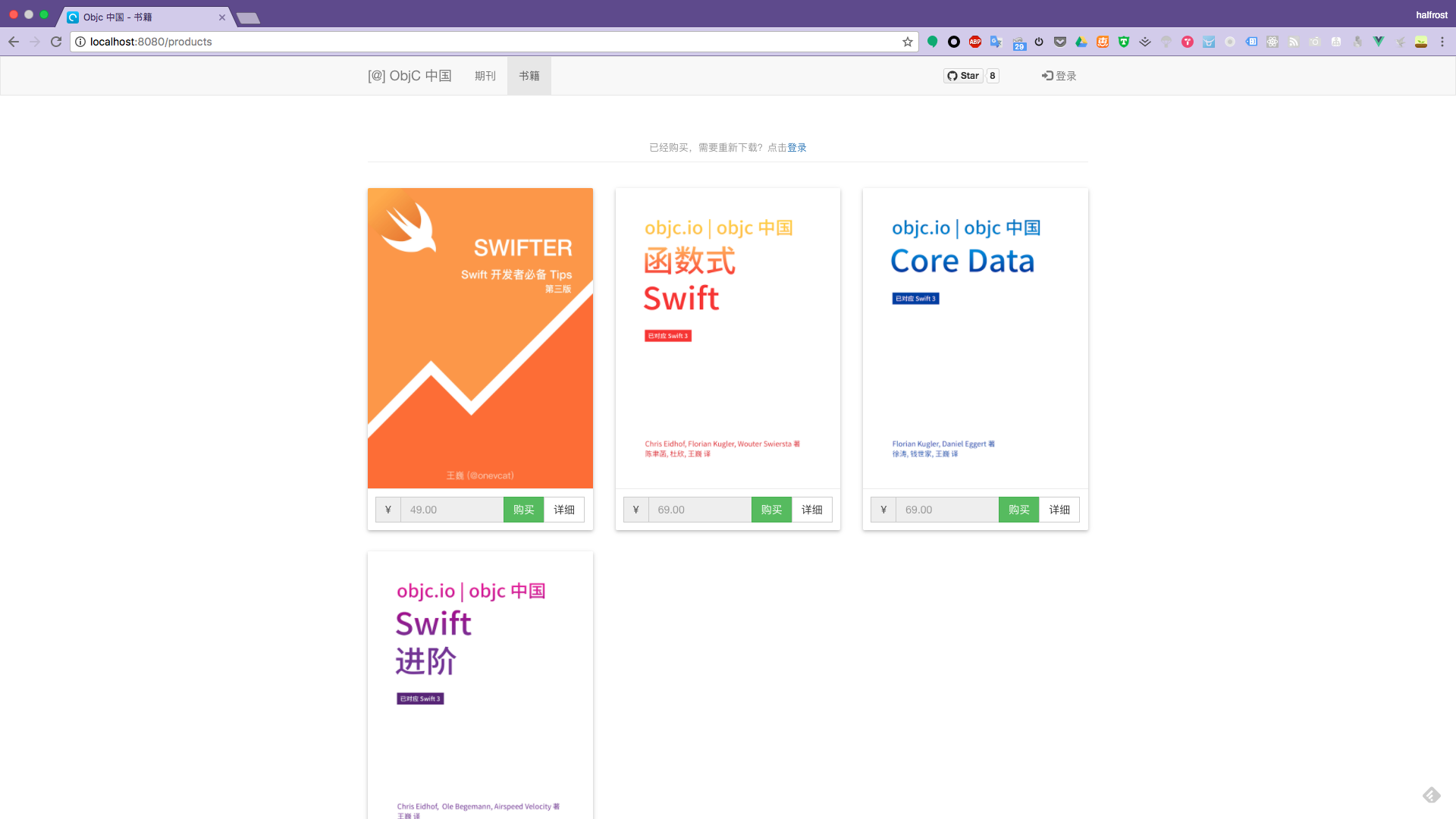


Next, the effect in mobile browsers:
Android platform
Nexus 5x Web

Nexus 6P Web

iOS platform
iPhone 5 Web

iPhone 7 Web

iPhone 7 Plus Web

iPad Web

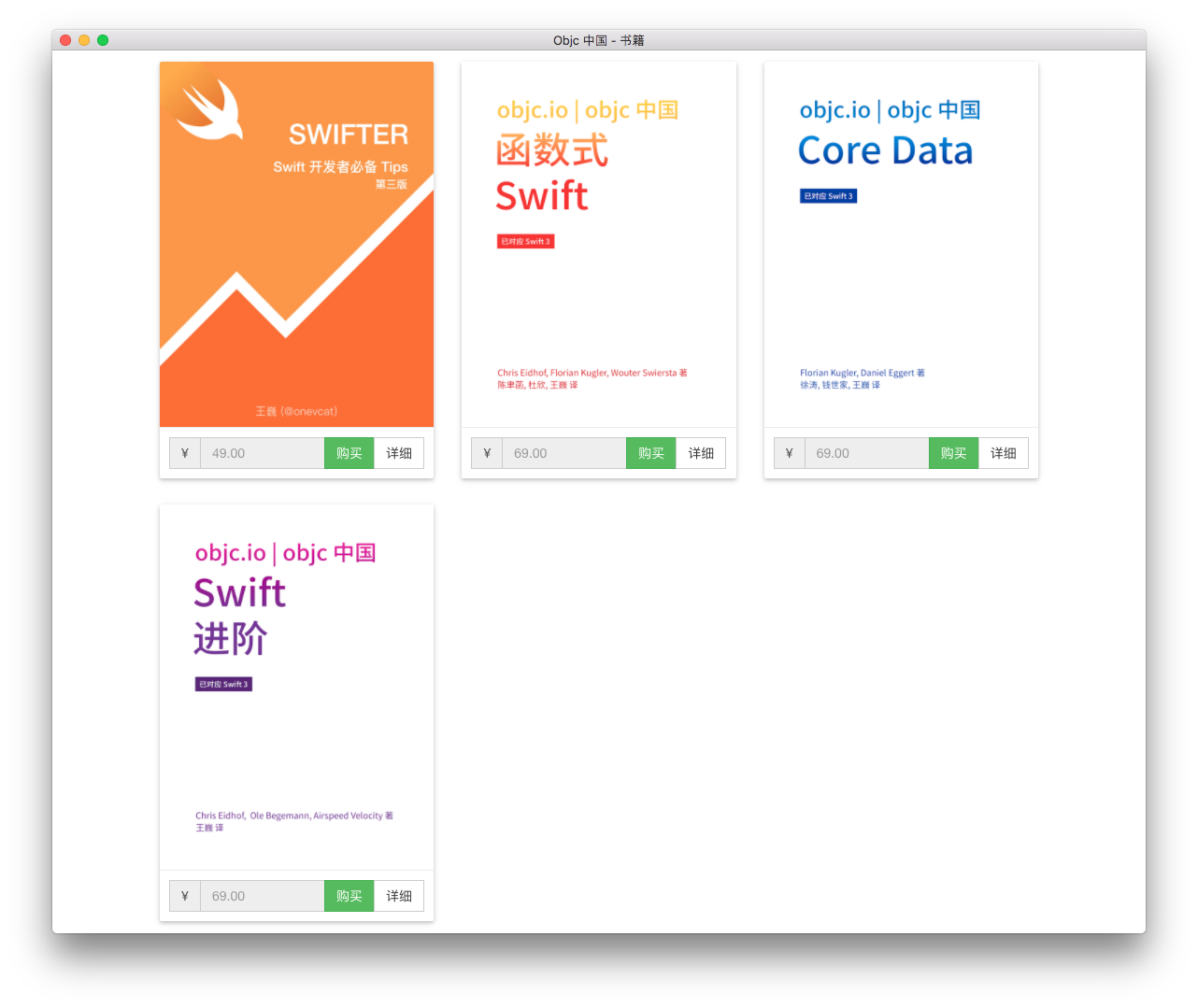
Next, let’s look at the performance on Mac:

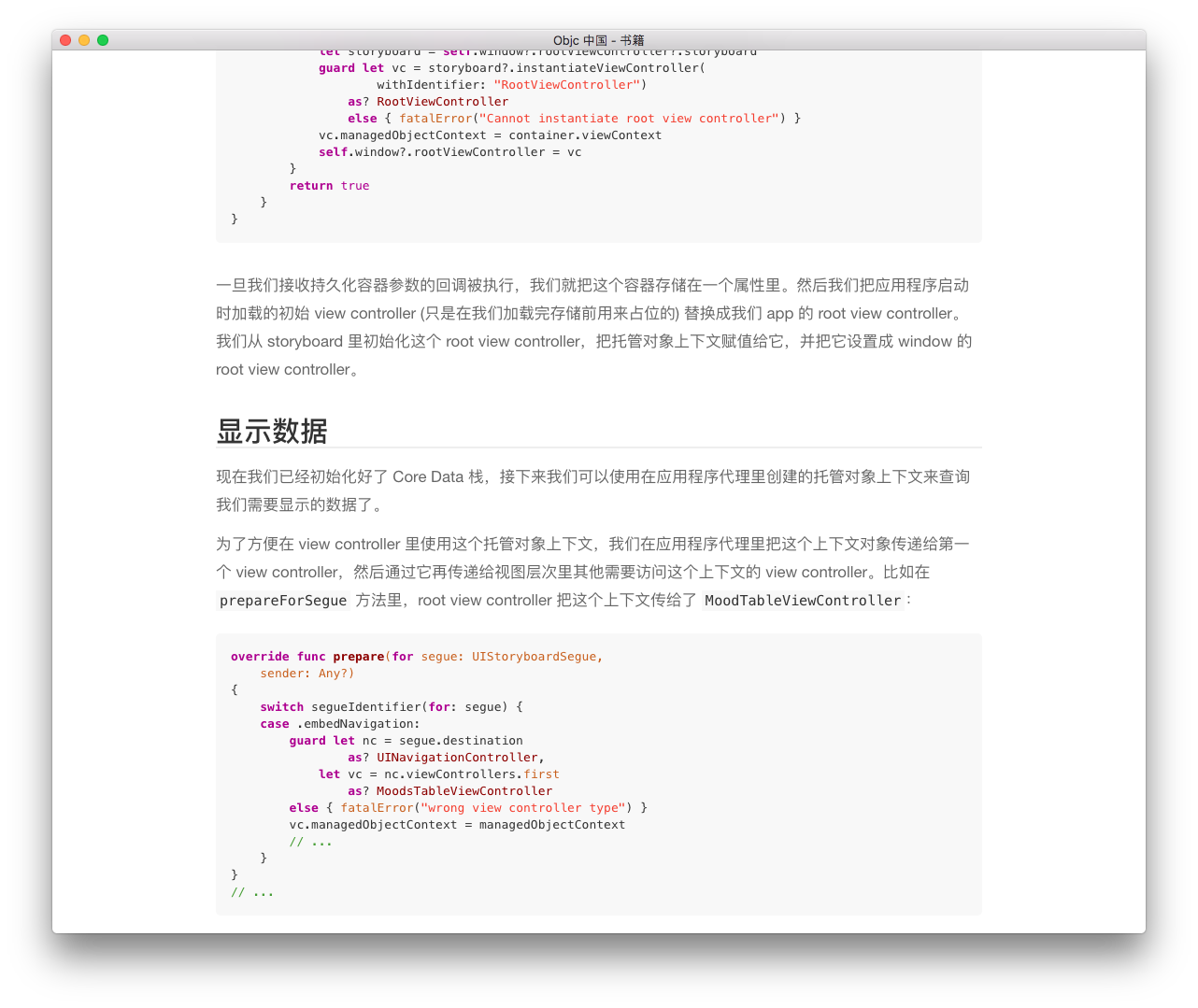
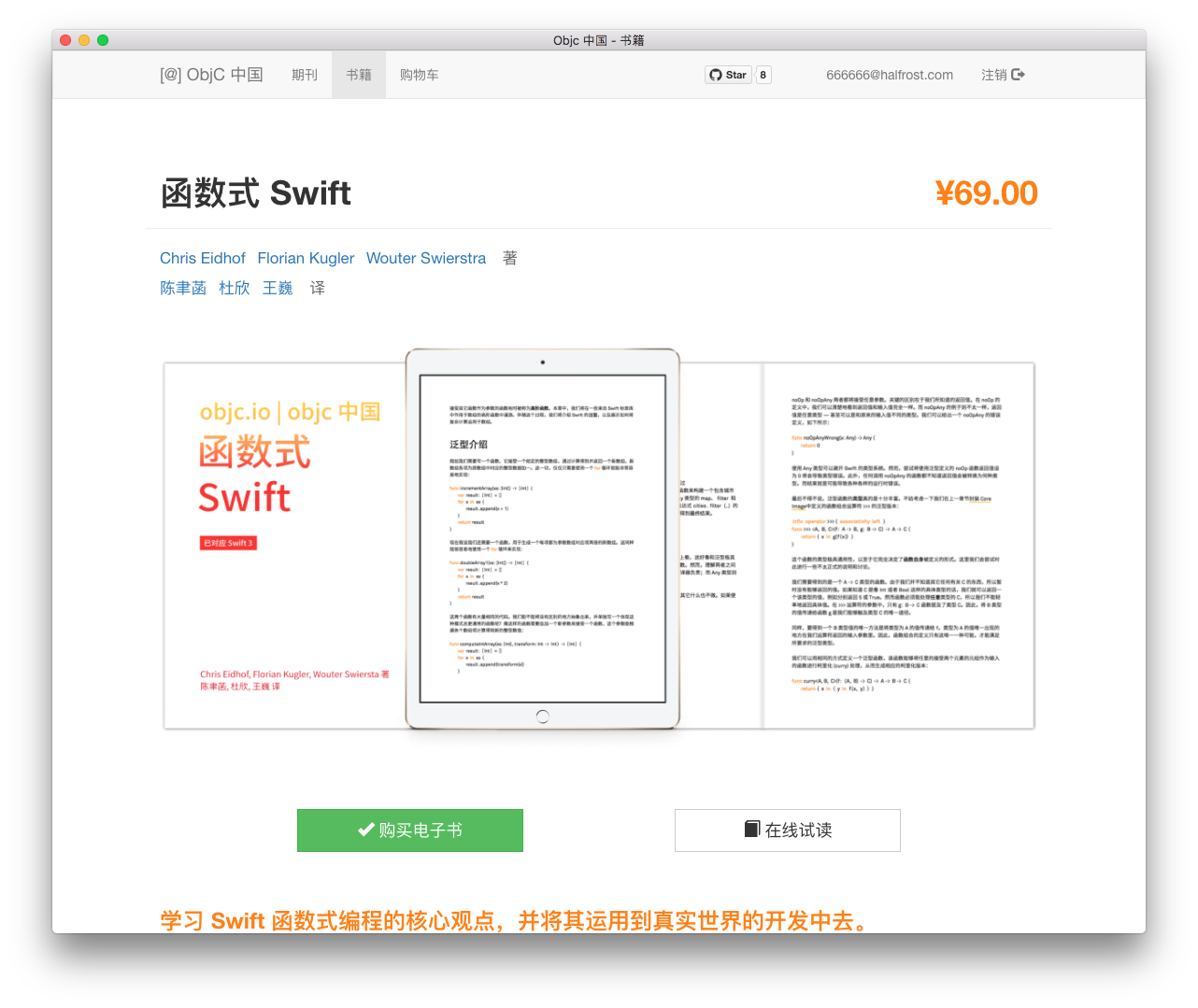
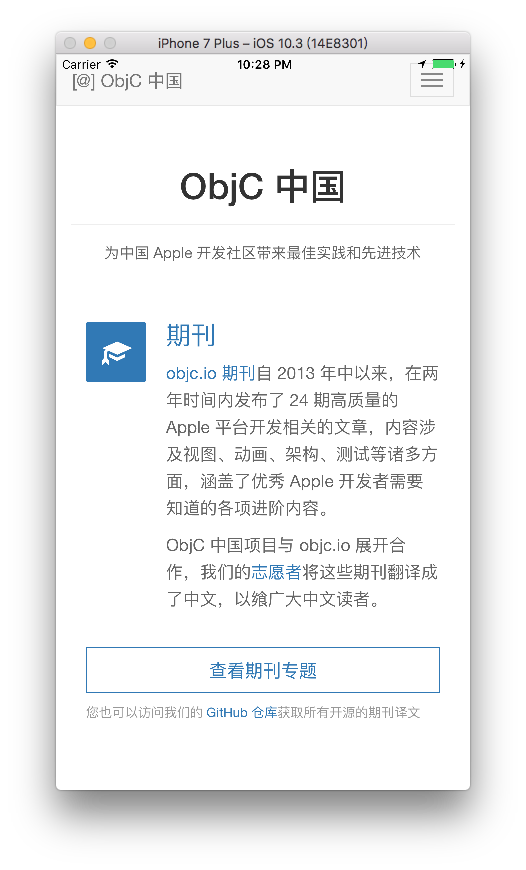
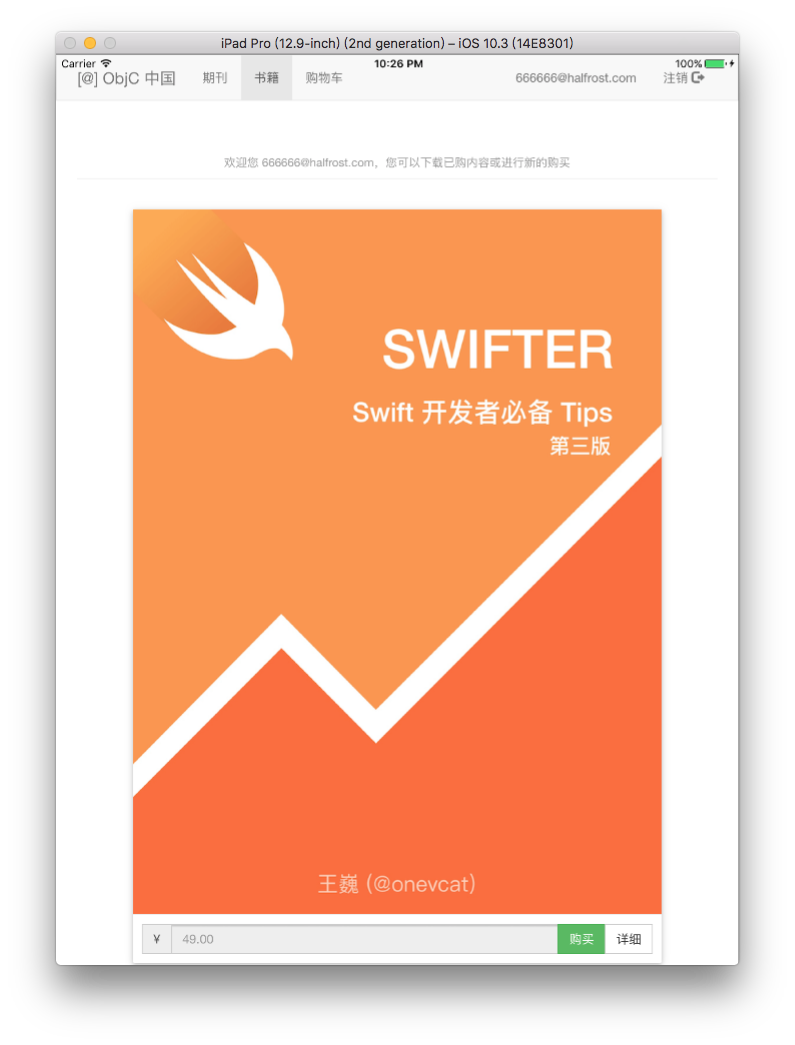
Finally, let’s look at Cordova:




Feature Demo
Building a Web page with Vue.js is very fast.

Take a look at how convenient Vuex is for state management. The login state is stored in state, and it can be obtained globally.

Once the user is not logged in, clicking to buy an ebook will detect that no user is logged in and redirect to the login page.
Another point worth mentioning is that, because this is an SPA, all routing inside is implemented using Router-link, rather than using <a> tag navigation. The effect is that navigation does not need to request data again, so it jumps instantly. This user experience is really great.
<router-link> is better than hardcoding <a href="..."> for the following reasons:
Whether in HTML5 history mode or hash mode, its behavior is consistent. So when you need to switch routing modes, or fall back to hash mode in IE9, no changes are required.
In HTML5 history mode, router-link intercepts click events so that the browser no longer reloads the page.
After you use the base option in HTML5 history mode, all to attributes no longer need to include the base path.
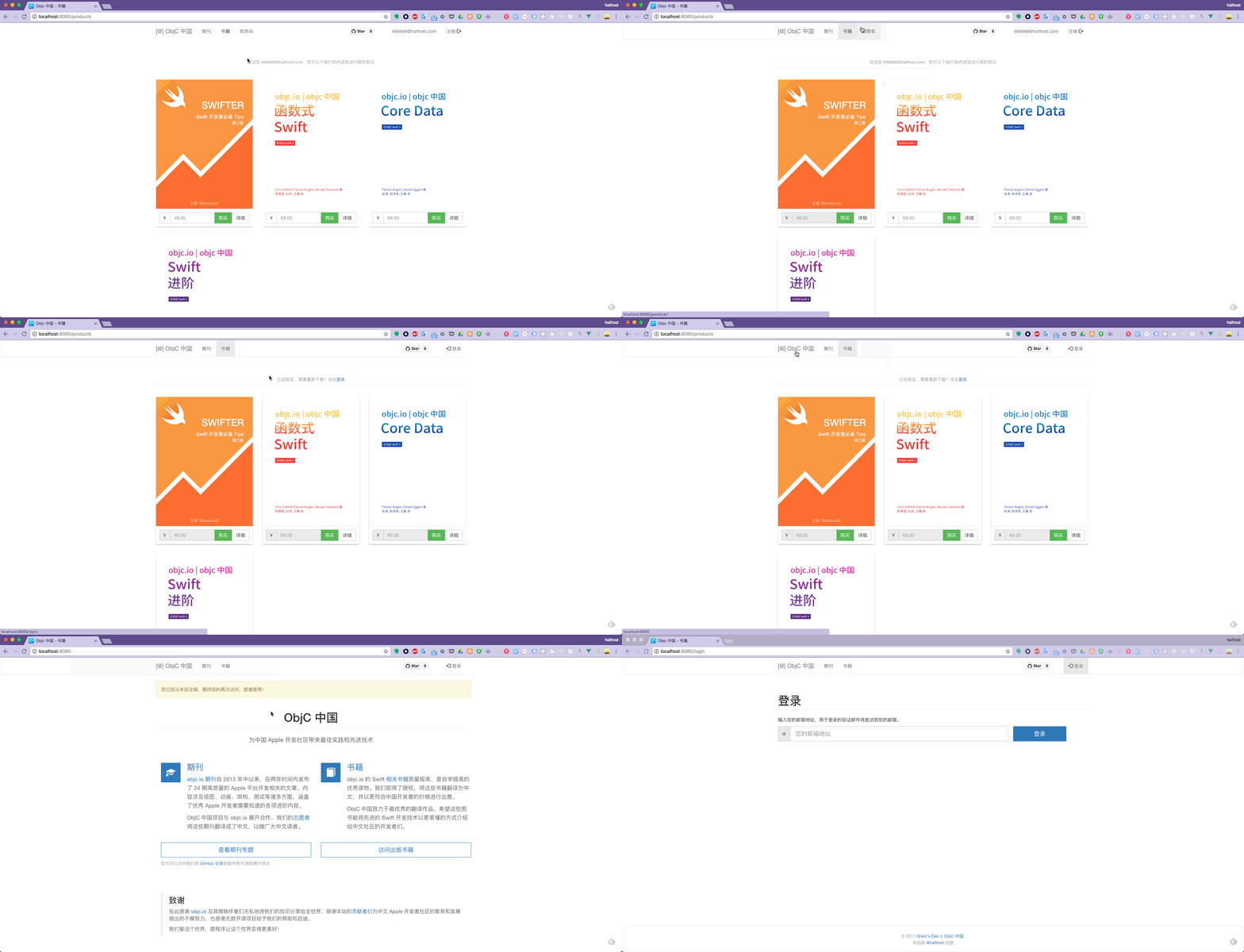
The logout page works the same way. Once the user logs out, every place that displays the username changes to login, and the shopping cart on the navigationBar also disappears. Managing state with Vuex is quite nice.

This is email form validation. There is not much technical depth to it.

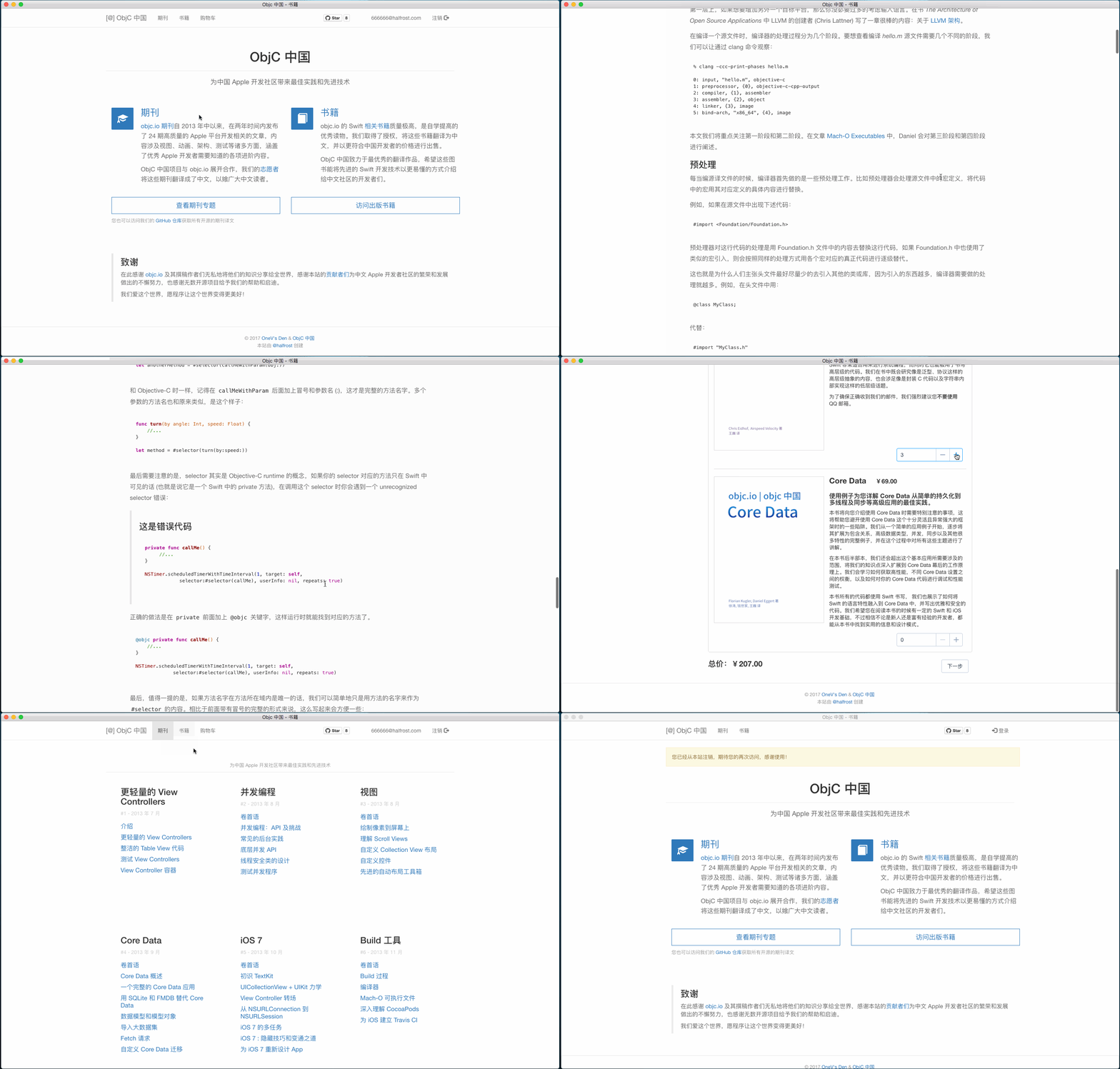
This is the shopping cart page. It uses the MVVM-style page binding idea. There are four buttons on the page, and clicking any one of them immediately changes the total price below. The MVVM implementation idea in Vue.js is worth learning for iOSers.
Next is the performance in Safari on iPhone. The speed is acceptable.

Among these cross-platform applications, the best experience, in my opinion, is still the Mac application. The satisfaction level when using it is very high.
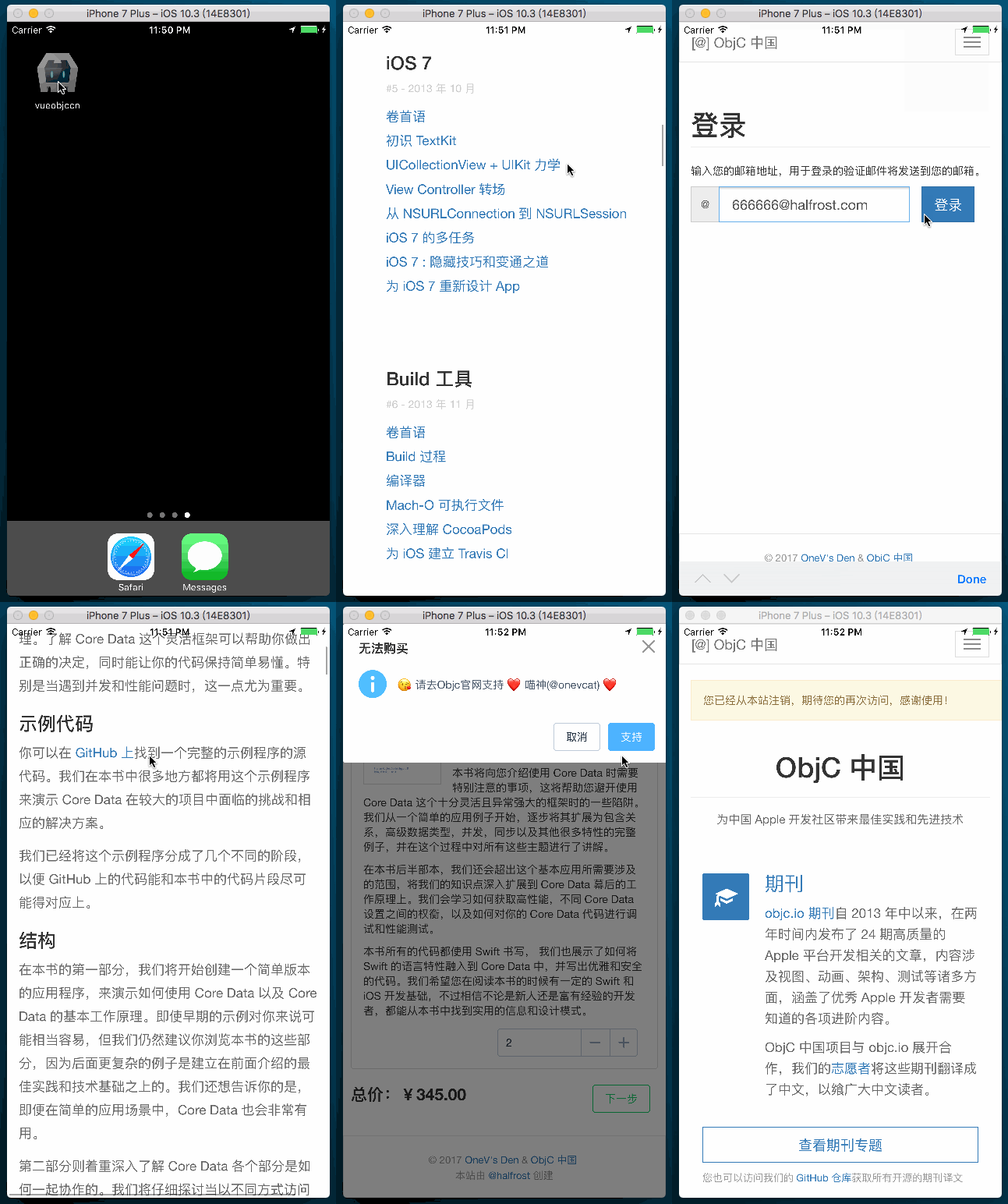
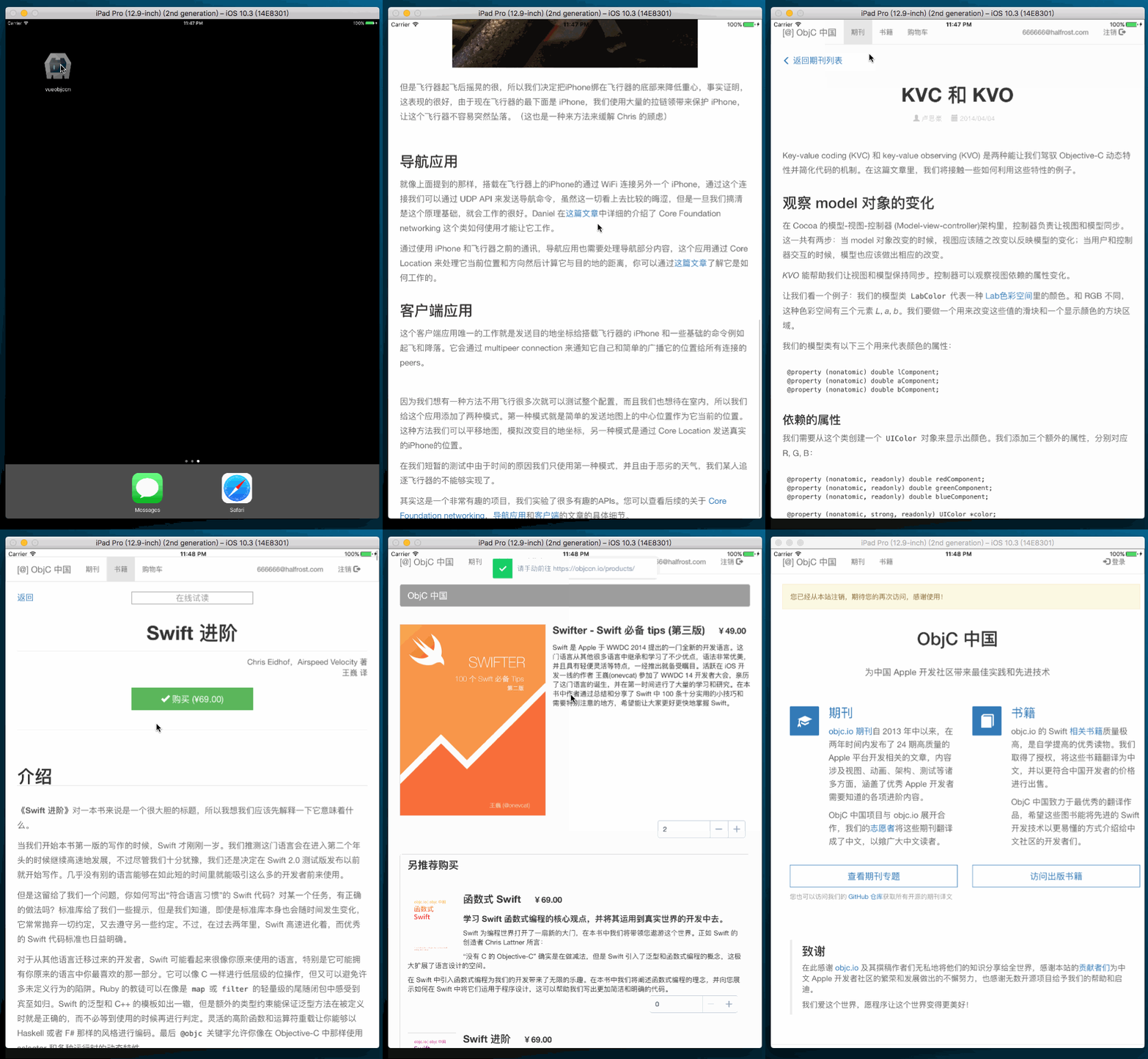
Finally, here is the mobile app built with the Cordova framework. The experience is not great. As for the specifics, just look at the images. In short, for an unoptimized Cordova app, as a picky person, I am not satisfied.
Application on iPhone
Application on iPad
Thoughts After Completing the Project
First, let me recommend the element-ui project. Using it to build a project is really fast. Pages can be built very quickly. Anyone developing with Vue.js must have heard of this library. The large amount of time saved can be spent more on business development.
Everyone is saying that this is now the era of the “big frontend,” and the convergence of mobile development and frontend development is inevitable. However, development on the two platforms still has many differences. After experiencing both frontend development and iOS development, I have many thoughts. Frontend and iOS have many things they can learn from each other, and each has its own advantages and disadvantages. Next, I plan to write a series of articles about these topics: frontend engineering, componentization, routing, MVVM, and what advantages and disadvantages each has compared with the iOS side, as well as what they can learn from each other. (Feels like I’ve dug myself a huge hole.)
Feature
When I have time, I will support Weex and turn this Vue.js project into a complete Weex application. Once it becomes native, the performance definitely should not be poor. That should make the cross-platform development complete.
Errata
If you find anything unclear in the project or discover a bug, feel free to submit a PR or issue. I welcome experts to give me more guidance.
Thanks
If you like this project, feel free to Star it!
LICENSE
GNU GENERAL PUBLIC LICENSE Version 3, 29 June 2007
Copyright (C) 2007 Free Software Foundation, Inc. http://fsf.org/ Everyone is permitted to copy and distribute verbatim copies of this license document, but changing it is not allowed.
